DayZ does not have a normal in-game owner console like some survival games. Server administration is usually handled through BattlEye RCON, an external RCON client, or an installed admin tool/mod. Use this guide as a quick reference for common BattlEye RCON commands and where to find the connection details.
- Open your DayZ server in the control panel.
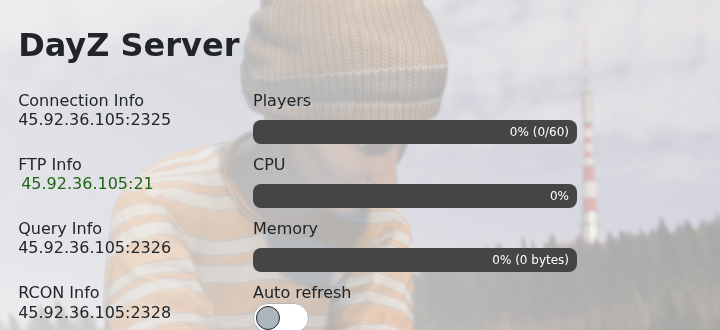
- Copy the RCON Info address from the service home page. The RCON port is different from the normal player connection port.
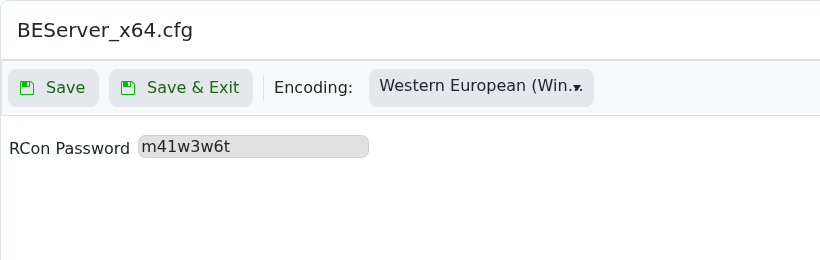
- If you have not set an RCON password yet, follow How to configure RCON on your DayZ server first.
- Open a compatible BattlEye/DayZ RCON client.
- Connect using the server IP, RCON port, and RCON password.
- Run
playersfirst so you can see who is online and confirm the player/session identifier before using kick or ban commands.
| Command | What it does | Example |
|---|---|---|
players | Lists connected players and their current session/player identifiers. | players |
kick <player/session> | Kicks a connected player from the server. | kick 12 |
ban <player/session> | Bans a connected player from the current session/list depending on the RCON tool. | ban 12 |
addBan <id> <time> <reason> | Adds a ban manually by identifier. Time is usually minutes; use 0 for permanent when supported. | addBan 76561198000000000 0 cheating |
removeBan <id> | Removes a ban entry for the identifier you provide. | removeBan 76561198000000000 |
bans | Lists current bans. | bans |
say -1 <message> | Sends a global server message when supported by the RCON client/server version. | say -1 Restart in 10 minutes |
shutdown | Stops the server when supported by the RCON tool. | shutdown |
Command support can vary by RCON client, BattlEye version, and installed admin tools. If you use a separate DayZ admin mod, follow that mod's own command and permission documentation.
