Scorched Earth ändrar servern till ARK:s ökenfokuserade DLC-karta, med värme, stormar, wyverns och ett annat överlevnadstryck än The Island. Ställ in kommandoradens kartvärde till ScorchedEarth_P så att servern laddar DLC-kartan vid start.
- Skapa först en säkerhetskopia så att du kan återställa den tidigare kartans sparning om det behövs: Säkerhetskopiera och återställa värld och spelardata på din ARK-server.
- Gå till din ARK-server i kontrollpanelen.
- Välj Commandline Manager.
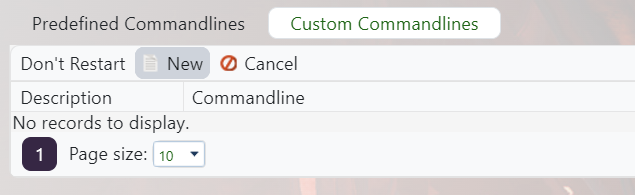
- Redigera den aktiva kommandoraden, eller skapa en ny Scorched Earth-kommandorad om du ofta byter kartor: Skapa en anpassad kommandorad på din ARK-server.
- Kryssa i Karta-rutan och ange
ScorchedEarth_Psom kartvärde.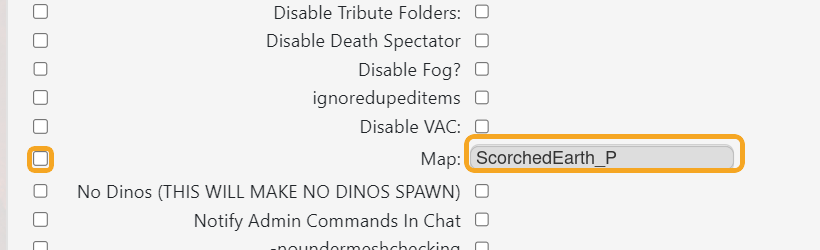
- Spara, klicka på Välj på den kommandoraden och starta sedan om servern.
Scorched Earth är en DLC-karta. Spelare bör ha det nödvändiga innehållet installerat innan de ansluter, och servern måste använda ScorchedEarth_P-kommandoraden.
