ARK day and night length is controlled by speed-scale settings in GameUserSettings.ini. Lower day speed makes daytime last longer; higher night speed makes nighttime pass faster.
- Open your ARK server in the control panel.
- Click Configuration Files.
- Open
GameUserSettings.iniwith Text Editor or Config Editor.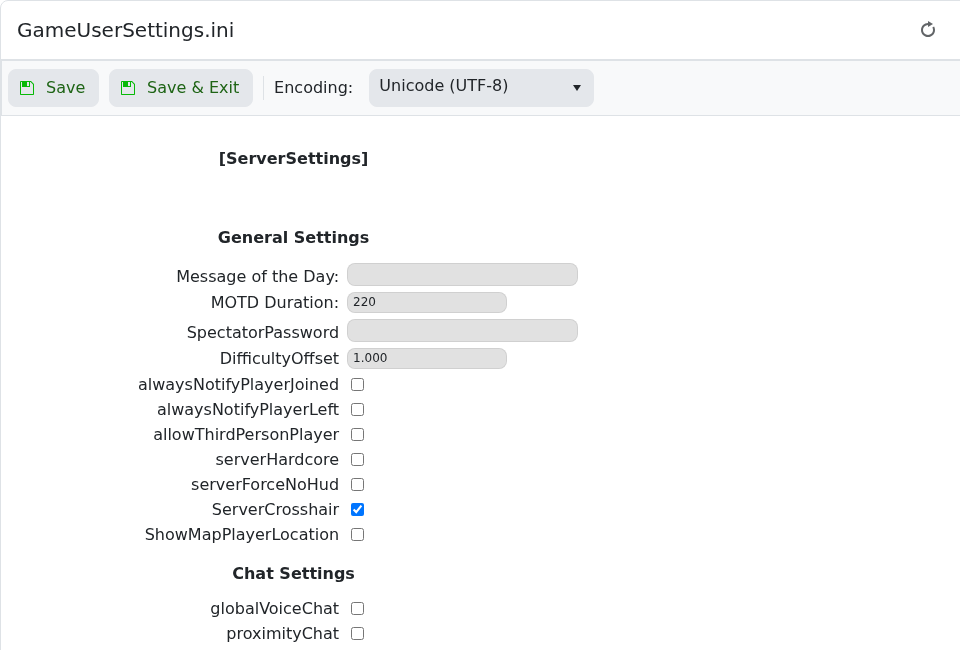
- Add or edit these values under
[ServerSettings]:DayTimeSpeedScale=0.7 NightTimeSpeedScale=3.0 - Click Save & Exit, then restart the server.
| Setting | What it does |
|---|---|
DayTimeSpeedScale | Controls how quickly daytime passes. Lower values make days last longer. |
NightTimeSpeedScale | Controls how quickly nighttime passes. Higher values make nights pass faster. |
GlobalSpoilingTimeMultiplier | Not a day/night setting, but often changed alongside time balance because slower or faster days can affect how players manage food. |
For longer days and shorter nights, use a lower DayTimeSpeedScale and a higher NightTimeSpeedScale. Restart the server after saving so ARK reloads the values.
