BattlEye kann in den ARK-Server-Startoptionen deaktiviert werden, wenn Sie Anti-Cheat-Probleme beheben oder eine Konfiguration ausführen müssen, die dies erfordert. Deaktivieren Sie es nur, wenn Sie die Sicherheitskompromisse verstehen.
- Öffnen Sie Ihren ARK-Server im Kontrollpanel.
- Klicken Sie auf Commandline Manager.
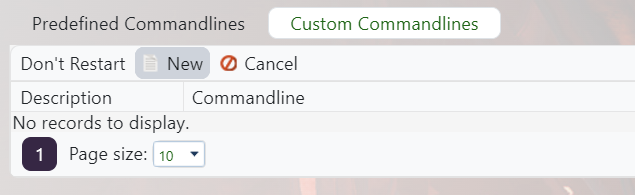
- Bearbeiten Sie Ihre ausgewählte Befehlszeile oder erstellen Sie eine benutzerdefinierte Befehlszeile: Erstellen einer benutzerdefinierten Befehlszeile auf Ihrem ARK-Server.
- Aktivieren Sie das Kontrollkästchen neben Disable BattlEye oder aktivieren Sie die entsprechende no-BattlEye-Startoption, die von der Befehlszeile bereitgestellt wird.

- Speichern und wählen Sie die Befehlszeile aus und starten Sie dann den Server neu.
Das Deaktivieren von BattlEye kann es öffentlichen Servern erleichtern, missbraucht zu werden. Für öffentliche Server lassen Sie BattlEye aktiviert, es sei denn, Sie haben einen spezifischen Grund.
