You can hide a Convoy session from the public server browser, restrict it to Steam friends or protect it with a password. These controls are in server_config.sii.
- Stop the server and open Configuration Files.
- Click Text Editor beside
server_config.sii. - Set
show_servertofalseto hide the session from the public list, or leave ittruefor a public session. - Set
friends_onlytotrueif only the host’s Steam friends should be able to join. - Add a value to
passwordwhen you also want a join password.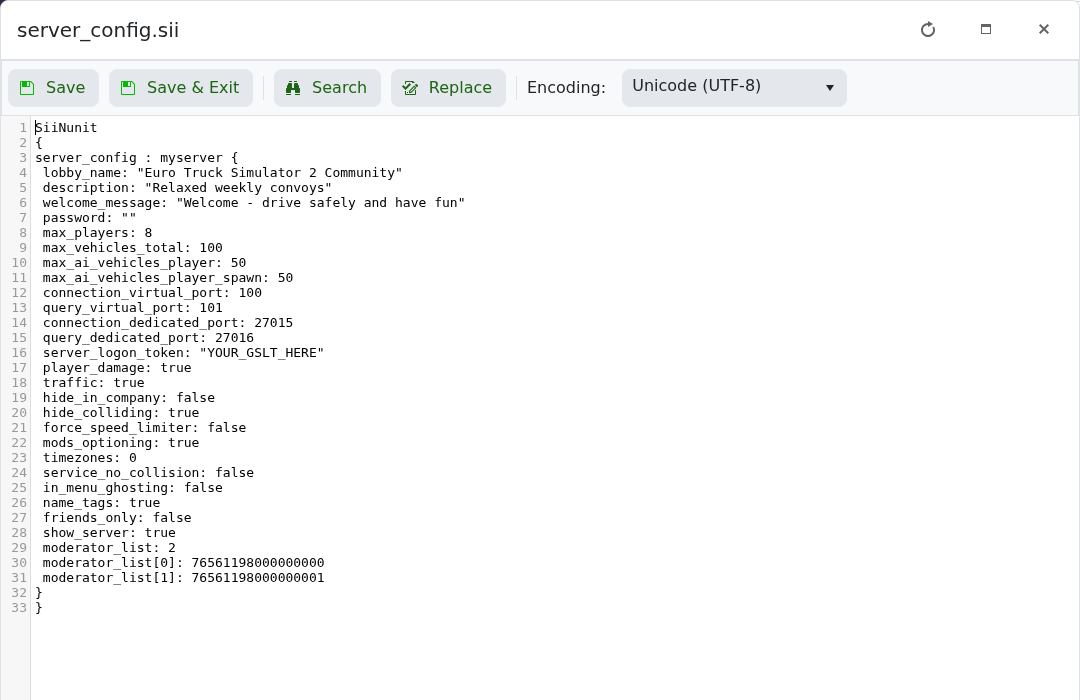
- Click Save & Exit and start the server.
show_server: false
friends_only: true
password: "ChooseAJoinPassword"
Hidden sessions can still be joined using their search ID. Keep show_server enabled if you only want password protection.
