server_config.sii controls the player cap and the amount of AI traffic each connected player can spawn. Do not alter the dedicated or virtual port values alongside them.
- Stop the server, open Configuration Files and choose Text Editor for
server_config.sii. - Set
max_playersno higher than the slots assigned to the service. - Adjust
max_vehicles_total,max_ai_vehicles_playerandmax_ai_vehicles_player_spawnif AI traffic is too heavy.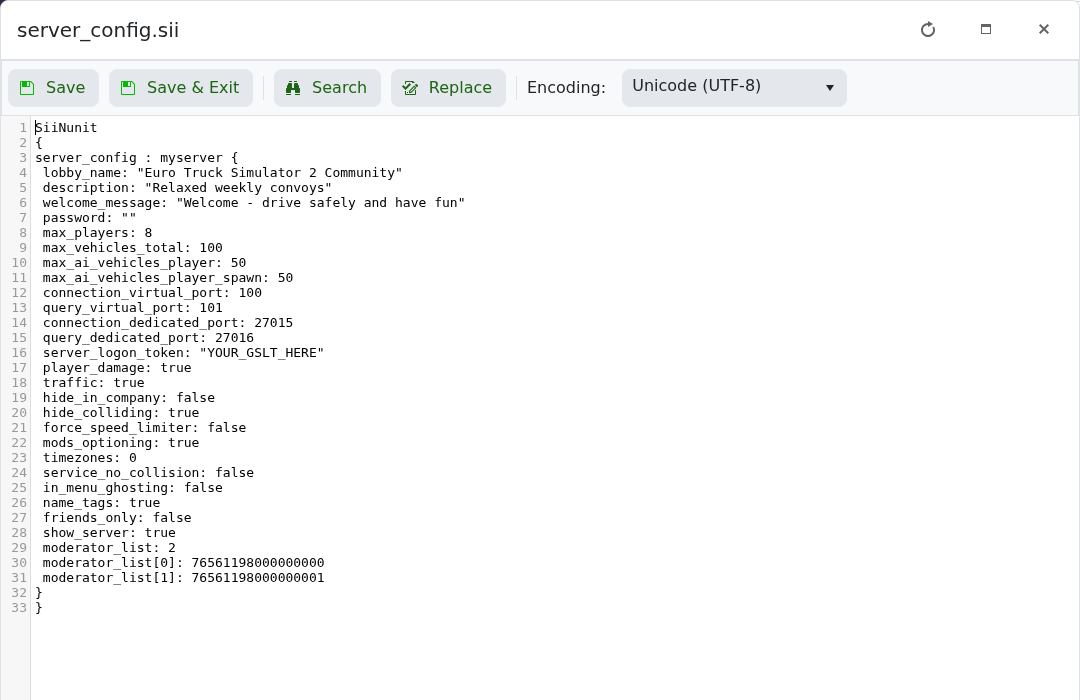
- Click Save & Exit and start the server.
max_players: 8
max_vehicles_total: 100
max_ai_vehicles_player: 50
max_ai_vehicles_player_spawn: 50
Lower AI limits first when the session struggles under load. Very high values can increase CPU use and traffic density for every connected player.
