Wiping an ARK: Survival Evolved server removes saved server data so the server can start again. This can delete world, player, and tribe progress, so create a backup first if there is anything you may need later.
- Open your ARK server in the control panel.
- Click Backup Server, confirm the backup, and wait for it to finish before wiping.
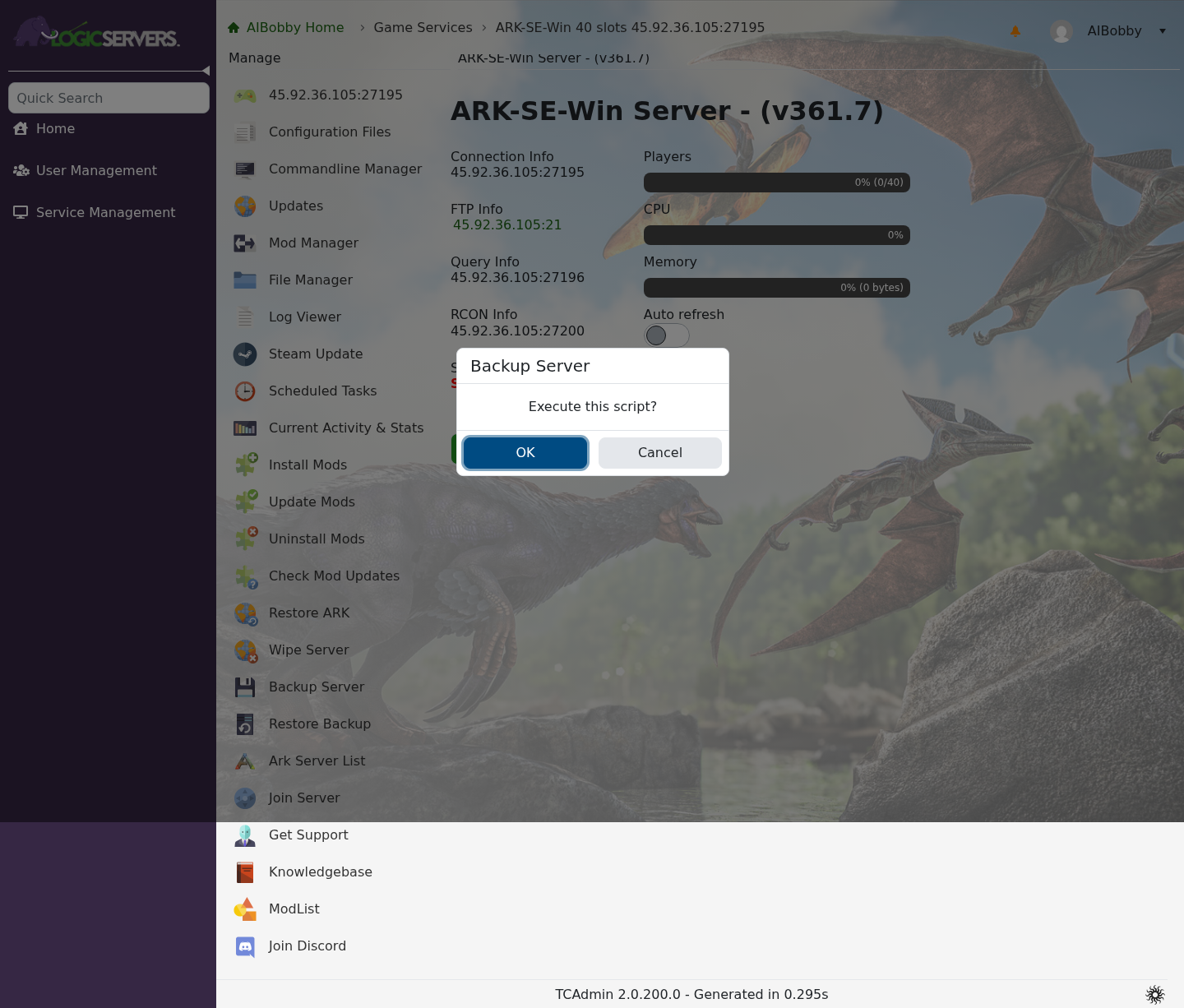
- Stop the server if it is still running.
- Click Wipe Server.
- Read the wipe options carefully, then tick only the data you want to remove. The current ARK wipe page can wipe player data, tribe data, the world, or all saved data.
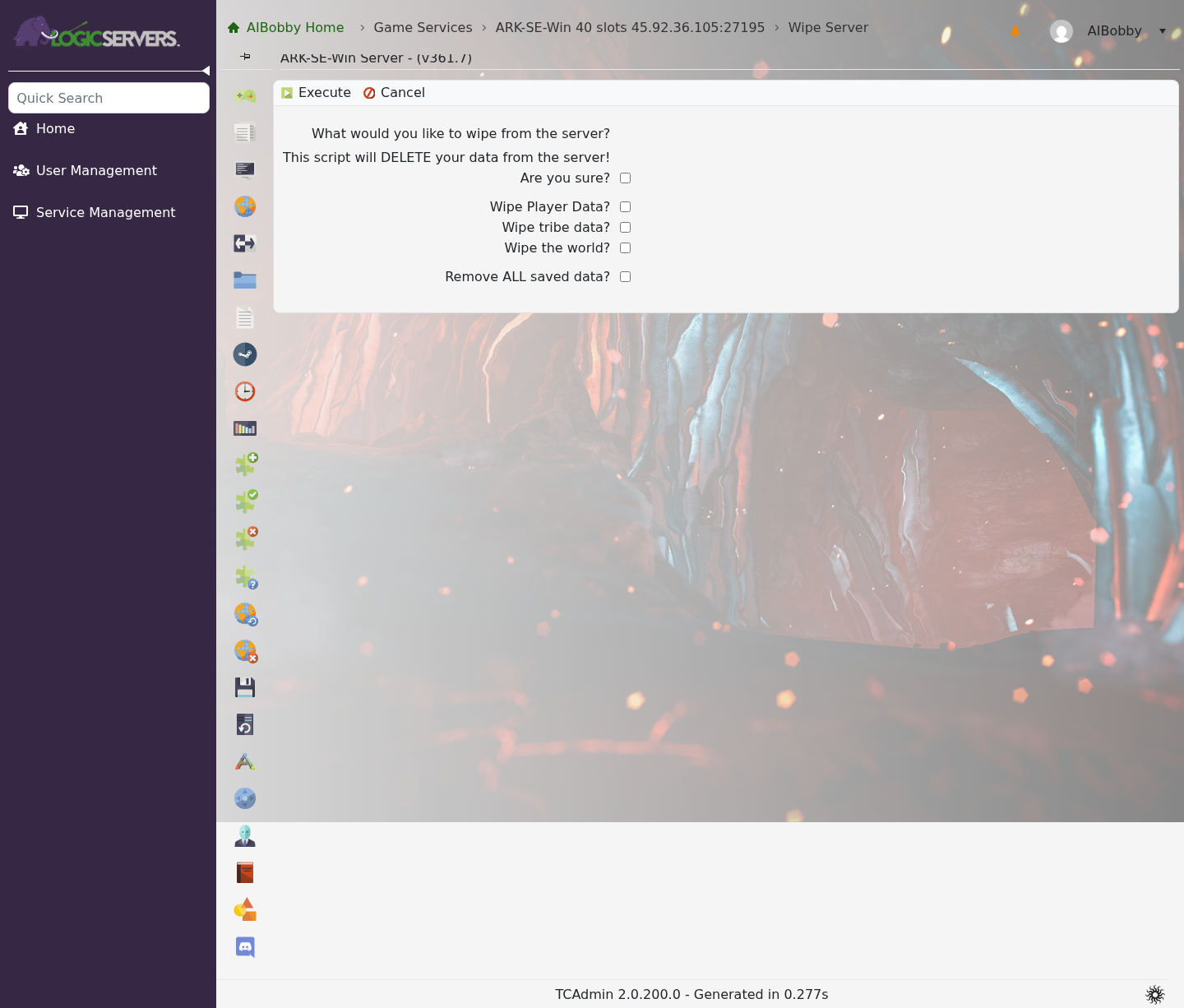
- Tick Are you sure? only when you have selected the correct wipe options.
- Click Execute and wait for the task to finish.
- Start the server again. ARK will create fresh save data for the parts you wiped.
If you only want a fresh map, use the world wipe option and avoid ticking player or tribe data unless you also want those removed. To fully reset the server, use the option to remove all saved data.
If you are unsure which option to use, stop before clicking Execute and submit a support ticket. A wipe cannot be undone without a working backup.
