The Soulmask server name is set by SteamServerName in Engine.ini.
- Stop the server and open Configuration Files.
- Click Text Editor beside
Engine.ini.
- Find the
[Dedicated.Settings]section and replace only the value afterSteamServerName=.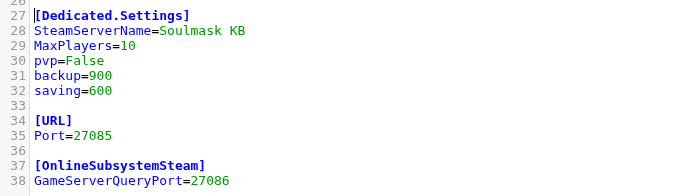
- Click Save & Exit and start the server.
SteamServerName=Soulmask Community
The name change was verified to persist after a real server start. Allow a few minutes for a public server browser to display the new value.
