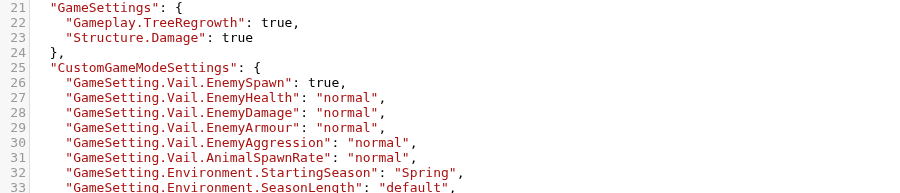
GameSettings contains rules that can apply in any mode, including tree regrowth and structure damage. CustomGameModeSettings is used when a new save is created with GameMode set to custom.
- Back up the server, stop it and open the Text Editor for
dedicatedserver.cfg. - Change only the required value and preserve the surrounding JSON.
- For a custom world, set
GameModetocustombefore creating that save. - Click Save & Exit, start the server and test one change at a time.
Common choices include enemy health, damage, armour and aggression; animal spawn rate; starting season; season length and day length. Boolean values use true or false without quotation marks.
