Use the current game log to check when Myth of Empires has finished loading your world. The panel can show Running before that point.
- Open your Myth of Empires service in the game control panel. Start it if it is stopped.
- Open Log Viewer and find the current log, such as
100.log. Check its modified time and size so you are reading the latest startup rather than an empty Console entry. Click Stream File beside it.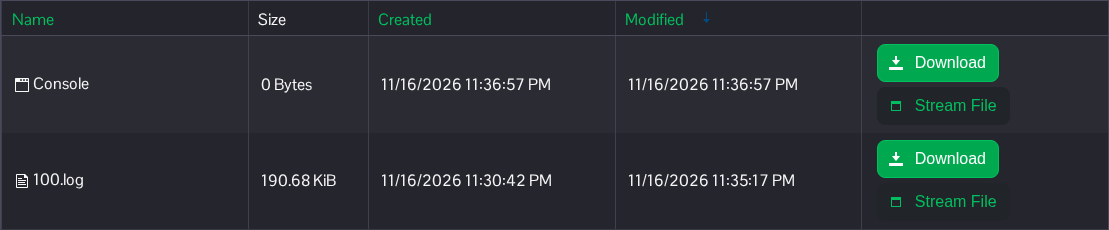
- Look for the following message in the current startup log. The ServerId should match the SaveID you selected for this world.
ServerId=100, ServerState=EGameServerState::SERVER_STATE_OPENED - If that line has not appeared, let startup continue and refresh the stream to check the latest messages. Read any error reported in the current startup before restarting again.
When the current log reports SERVER_STATE_OPENED, the world has finished loading and players can try joining.
