Use Steam Update when the dedicated server needs the latest Myth of Empires files.
- Open your Myth of Empires service in the game control panel and click Stop. Wait for it to stop before changing the settings.
- Make a backup of the server configuration and saved world before updating.
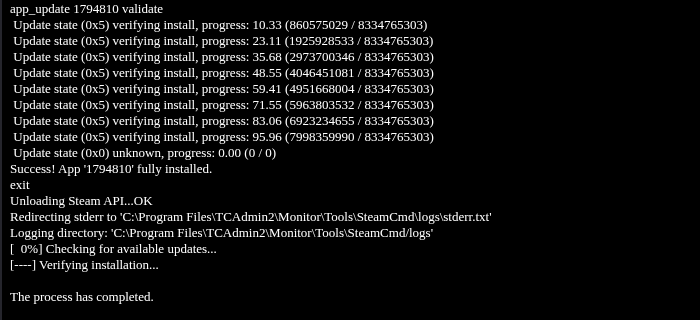
- Click Steam Update and confirm with OK. SteamCMD runs on the page that opens. Wait for the successful installation and process completion messages.
- Return to the service page and start the server. Open Log Viewer and stream the current log, such as
100.log. Check its modified time so you are reading the latest start, then wait forSERVER_STATE_OPENED. - Ask players to update their game through Steam before reconnecting.
The panel may show Running while the world is still loading. Wait for the new SERVER_STATE_OPENED entry before joining.
