Factorio admins are set in server-settings.json. Add the exact Factorio username for each player you want to make admin.
Adding an admin
- Open your Factorio server in the control panel.
- Stop the server, then take a backup.
- Click Configuration Files.
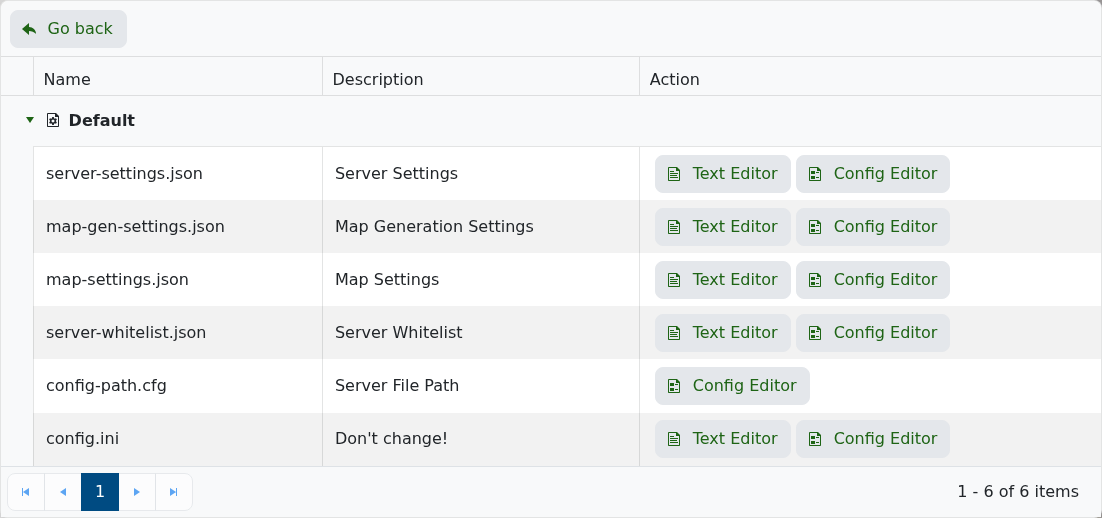
- Edit server-settings.json.
- Find the admins section and add the usernames you want to make admin:
"admins": [
  "PlayerName",
  "SecondPlayer"
]
- Make sure the JSON formatting stays valid. Each username except the last one needs a comma after it.
- Save the file, then start the server again.
If allow_commands is set to admins-only, only admins can use server commands.
Check the player identifier
Use the exact identifier the game expects, such as a username, SteamID64, UUID, or player ID. Copy it carefully, because one wrong digit or character can apply the change to the wrong player or stop it working.
After making the change
Restart the server if the game requires it, then test with the affected player. If the change does not apply, check the console or log output for permission or formatting errors.
