The sentry spawn switch is separate from sentry health and damage settings.
- Open your SCUM service in the game panel. Click Stop and wait for Stopped.
- Open Configuration Files, then Text Editor beside
ServerSettings.ini. Edit the existing keys in the section shown below. - Under
[World], setscum.DisableSentrySpawning=True.[World] scum.DisableSentrySpawning=True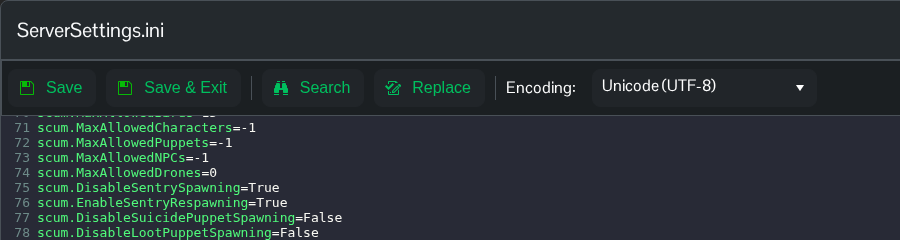
- Click Save & Exit, return to your service and click Start.
Use Text Editor for this file. Config Editor uses an older template and can remove newer settings. You can also edit SCUM/Saved/Config/WindowsServer/ServerSettings.ini through File Manager or FTP.
Use scum.DisableSentrySpawning=False to allow spawning again. This setting is not a command to remove a particular sentry while the server is running.
