Edit the loot spawner probability values without replacing your economy or detailed loot override files.
- Open your SCUM service in the game panel. Click Stop and wait for Stopped.
- Open Configuration Files, then Text Editor beside
ServerSettings.ini. Edit the existing keys in the section shown below. - Under
[Features], change the existing probability multiplier keys. This example sets both to1.500000.[Features] scum.SpawnerProbabilityMultiplier=1.500000 scum.ExamineSpawnerProbabilityMultiplier=1.500000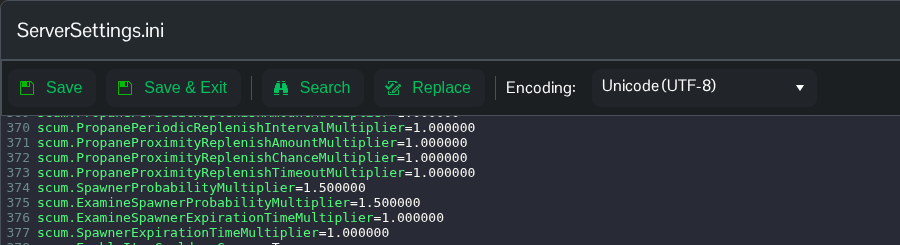
- Click Save & Exit, return to your service and click Start.
Use Text Editor for this file. Config Editor uses an older template and can remove newer settings. You can also edit SCUM/Saved/Config/WindowsServer/ServerSettings.ini through File Manager or FTP.
These are probability multipliers, not a guaranteed count of items in each container. Leave the separate expiration-time multipliers unchanged if you only intend to change probability.
