Update the server while it is stopped, then check the game’s startup log.
- Open your SCUM service in the game panel, click Stop and wait for Stopped.
- Use File Manager to keep independent copies of your
SCUM/Saveddata, including your configuration and save files. FTP is also available for transferring this folder. Keep these copies outside the server. - Click Steam Update and accept the confirmation. SteamCMD starts when the update page opens.
- Wait for
Success! App '3792580' fully installed.andThe process has completed.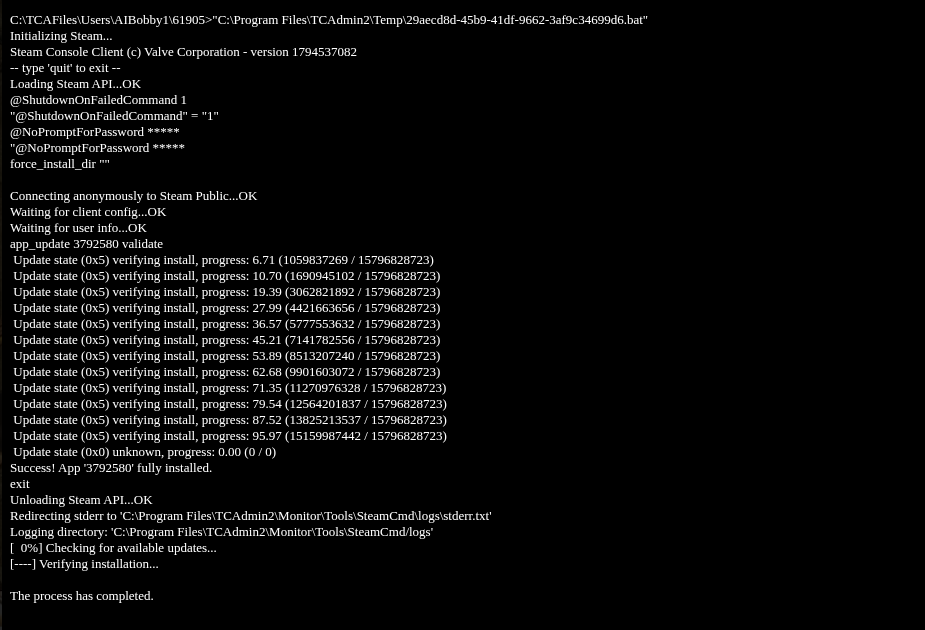
- Return to the service page and click Start. Open Log Viewer and check the current
SCUM.log. Look for aBringing Worldline forThe_Islandcontainingup for play, alongside anIpNetDriver listening on portline. - Reopen Configuration Files and click Text Editor beside
ServerSettings.inito check your settings, then confirm that players can join with the matching game version.
