DayZ 没有像一些生存游戏那样的正常游戏内所有者控制台。服务器管理通常通过 BattlEye RCON、外部 RCON 客户端或已安装的管理员工具/模组进行处理。使用本指南作为常见 BattlEye RCON 命令的快速参考,以及在哪里找到连接详细信息。
- 在控制面板中打开您的 DayZ 服务器。
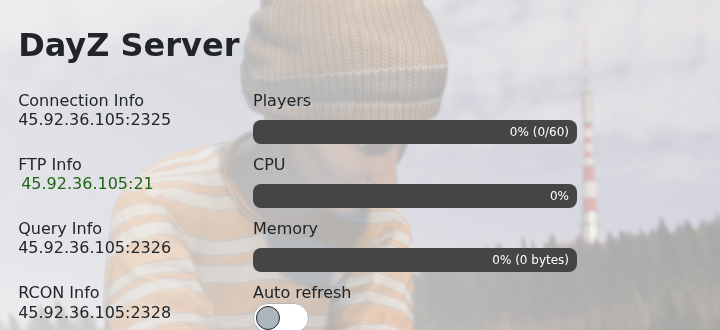
- 从服务主页复制RCON 信息地址。RCON 端口与正常玩家连接端口不同。
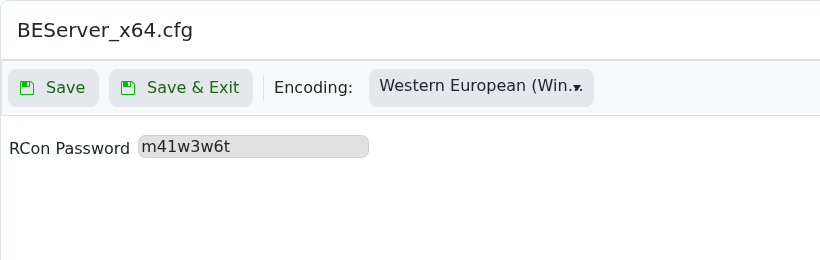
- 如果您尚未设置 RCON 密码,请先按照如何在您的 DayZ 服务器上配置 RCON进行操作。
- 打开兼容的 BattlEye/DayZ RCON 客户端。
- 使用服务器 IP、RCON 端口和 RCON 密码进行连接。
- 首先运行
players,以便查看谁在线并在使用踢出或禁止命令之前确认玩家/会话标识符。
| 命令 | 功能 | 示例 |
|---|---|---|
players | 列出已连接的玩家及其当前会话/玩家标识符。 | players |
kick <player/session> | 将已连接的玩家从服务器踢出。 | kick 12 |
ban <player/session> | 根据 RCON 工具,将已连接的玩家从当前会话/列表中禁止。 | ban 12 |
addBan <id> <time> <reason> | 通过标识符手动添加禁令。时间通常以分钟为单位;在支持的情况下使用0表示永久。 | addBan 76561198000000000 0 cheating |
removeBan <id> | 移除您提供的标识符的禁令条目。 | removeBan 76561198000000000 |
bans | 列出当前的禁令。 | bans |
say -1 <message> | 在 RCON 客户端/服务器版本支持的情况下发送全局服务器消息。 | say -1 Restart in 10 minutes |
shutdown | 在 RCON 工具支持的情况下停止服务器。 | shutdown |
命令支持可能因 RCON 客户端、BattlEye 版本和已安装的管理员工具而异。如果您使用单独的 DayZ 管理员模组,请遵循该模组自己的命令和权限文档。
