如何加入 Valheim 服务器

列印
  • valheim, game servers, how to join your server, joining your valheim server, valheim servers, valheim server
  • 23

使用控制面板中显示为 Connection Info 的地址加入你的 Valheim 服务器。Valheim 也可能出现在社区服务器浏览器中,但使用直接连接通常是加入特定服务器的最快方法。

  1. 在控制面板中打开你的 Valheim 服务器,并从 Connection Info 复制 IP 和端口。
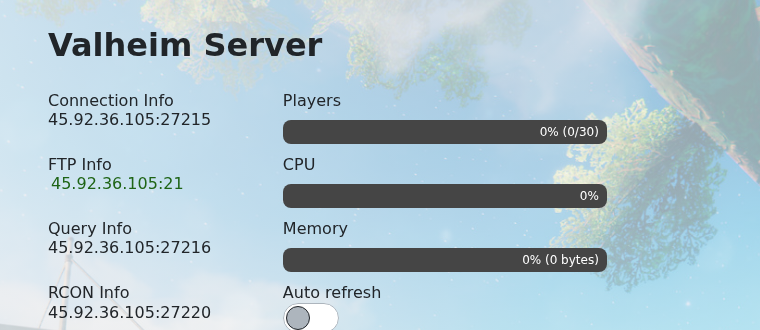
    Valheim 控制面板,显示 Connection Info

  2. 在主菜单中打开 Valheim。

    Valheim 主菜单

  3. 选择你要使用的角色。

    Valheim 角色选择界面

  4. 打开服务器浏览器并搜索你的服务器名称。服务器出现后选择该结果。

    Valheim 服务器浏览器,显示该服务器结果

  5. 如果配置了服务器密码,请输入然后连接。

如果服务器浏览器没有立即显示服务器,请使用直接连接,并确保服务器已完全启动。

如果服务器未显示

在控制面板中确认服务器处于在线状态,然后刷新游戏内的浏览器。服务器列表在重启后可能需要几分钟才能更新。如果可用,使用控制面板中的服务器 IP 和端口进行直接连接。

连接检查

确保你的游戏客户端与服务器使用相同的分支或版本。模组、密码和白名单设置也可能导致无法成功连接。


這篇文章有幫助嗎?

相關文章

« 返回

Follow us on Social Media

Stay in the loop! Follow our social media accounts and stay up-to-date with the latest news, announcements, tips & tricks and behind-the-scenes insights!