您可以通过上传完整的世界文件夹,然后设置服务器加载该文件夹,将现有的 Rising World 存档移到您的服务器。如果服务器已有您可能想保留的世界,请先进行服务器备份。
- 在您的 Rising World 安装目录的
Worlds文件夹中找到要上传的世界。保持整个文件夹及其内容完整。 - 在控制面板中打开您的 Rising World 服务器,停止它,然后点击 File Manager。
- 打开
Worlds文件夹,然后上传您的世界文件夹。对于大型世界,先压缩或使用 使用 FTP(FileZilla)。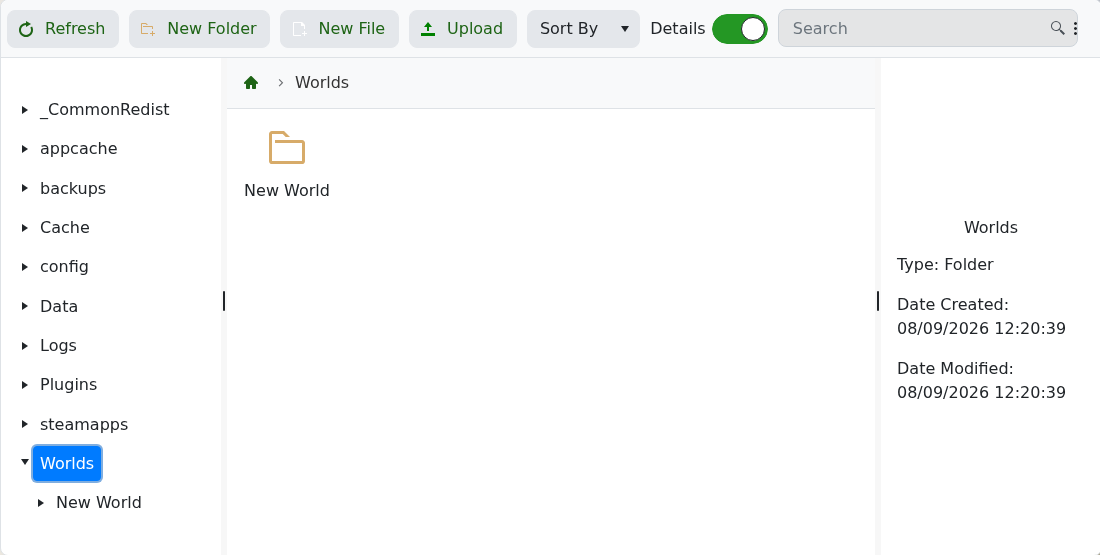
- 返回 Configuration Files,并在
server.properties旁点击 Config Editor。 - 将 Save Name 设置为上传的世界文件夹名称完全相同,然后点击 Save & Exit。
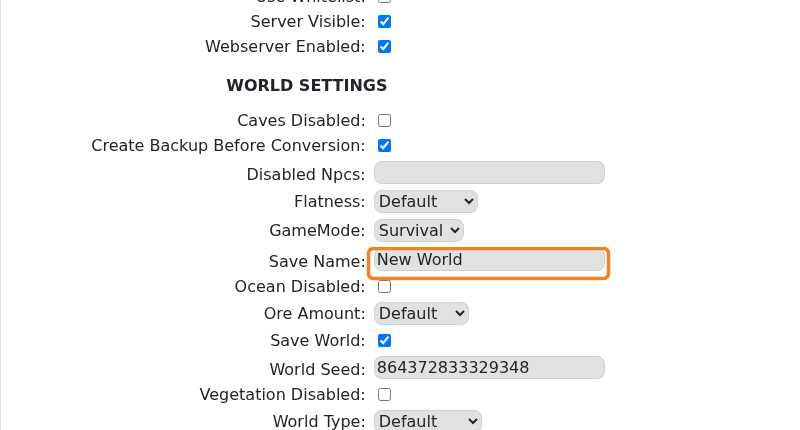
- 启动服务器并加入以检查是否加载了预期的世界。
如果服务器反而创建了一个新世界,请停止服务器并再次检查文件夹名称和 Save Name。它们必须完全匹配,包括空格和大小写。
