用于加入的密码可以让 ATLAS 服务器保持私有,同时不会授予玩家管理命令的访问权限。它与 ServerAdminPassword 是分开的。
- 在控制面板中打开您的 ATLAS 服务器并停止它。
- 点击 Configuration Files。
- 找到
GameUserSettings.ini并点击 Text Editor。 - 在
[ServerSettings]下,将ServerPassword=ExampleJoinPassword设置为玩家应使用的密码,替换示例值。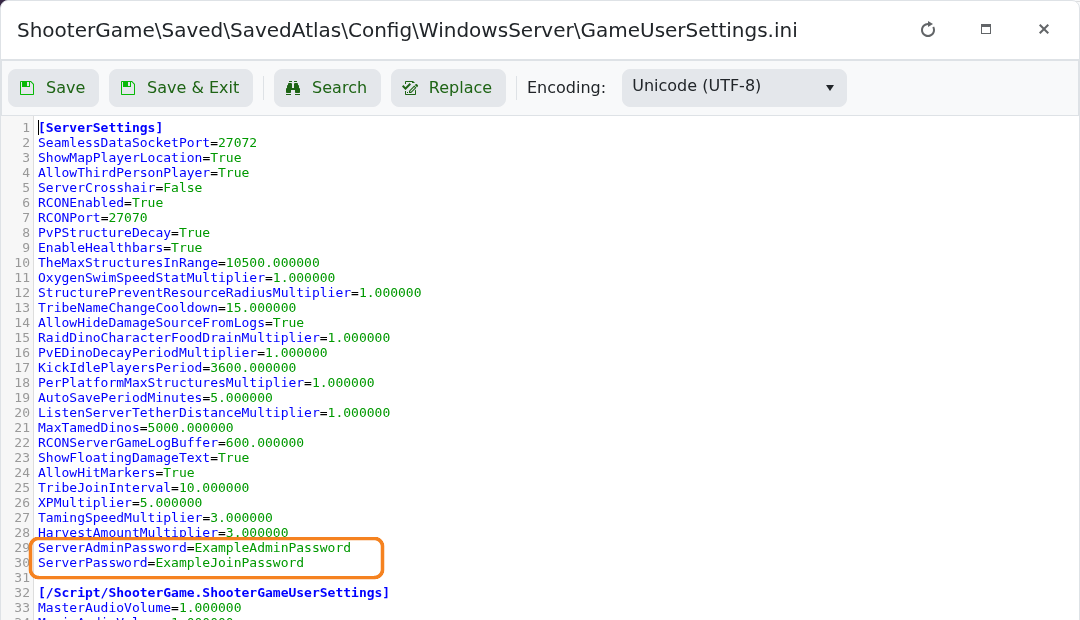
- 点击 Save & Exit,然后启动服务器并使用新密码重新连接。
若要将服务器重新设为公开,请停止服务器,将 ServerPassword= 保持为空,保存并重启。除非您也打算禁用基于密码的管理员访问,否则不要清除 ServerAdminPassword。
