要加入你的 Return to Moria 服务器,你需要使用一个可以从控制面板的 Web console 获取的 join code;也可以通过高级选项使用游戏服务器的 IP/Port。
步骤 1:启动服务器
确保你的 Return to Moria 服务器正在运行。
步骤 2:打开 Web console
从左侧菜单点击 Web console 打开实时服务器日志。
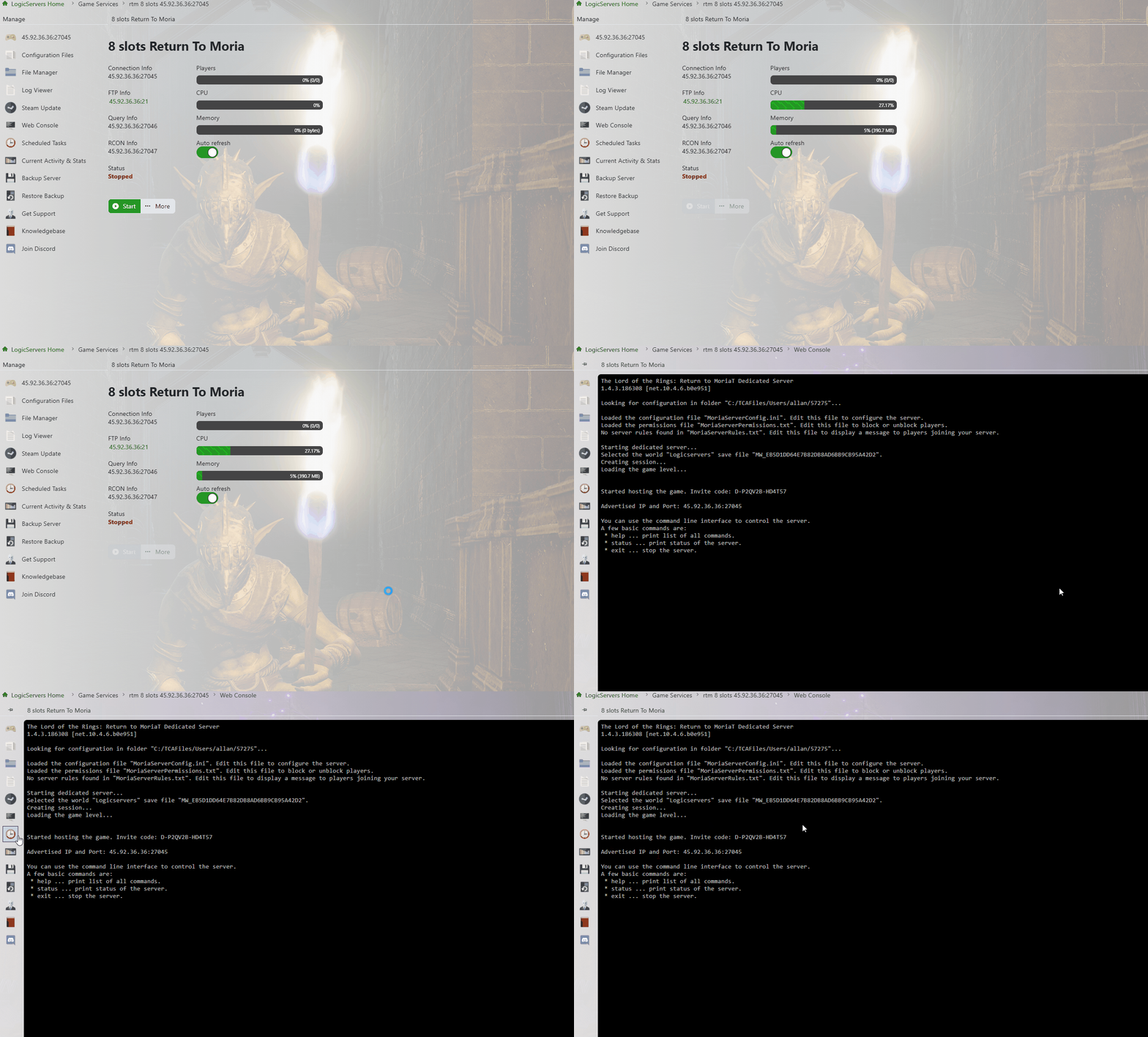
步骤 3:复制 Join Code
在日志中找到 join code 并复制。这就是玩家用于连接的代码。
步骤 4:启动游戏并点击 Play
打开 Return to Moria,点击 Play,然后选择或创建你的角色。
步骤 5:Join Other World
当角色准备好后,点击 Join Other World 并粘贴 join code。
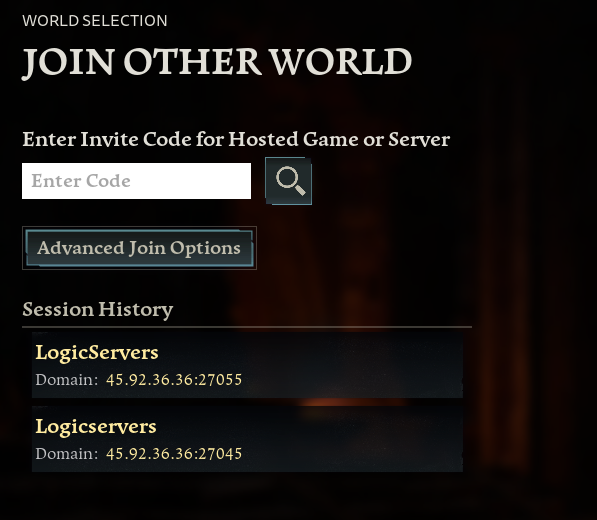
可选:使用 Advanced Join Options
如果你没有 join code,使用 Advanced Join Options 并填写面板连接信息中的 IP:PORT 和密码。
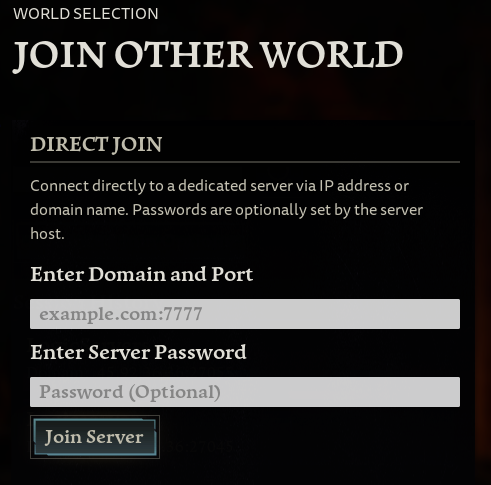
如果服务器未显示
在控制面板确认服务器已在线,然后刷新游戏内浏览器。服务器列表在重启后可能需要几分钟才会更新。如果可直接连接,请使用控制面板中的服务器 IP 和端口。
连接检查
确保你的游戏客户端与服务器处于相同的分支或版本。Mods、密码和白名单设置也可能导致无法连接。
