公共会话名称和加入密码存储在 server_config.sii 中。
- 停止服务器并打开 配置文件。
- 在
server_config.sii旁点击 文本编辑器。 - 在
lobby_name的引号内更改文本。设置password,或将其保留为空引号以不设置密码。 - 可选地更新
description和welcome_message。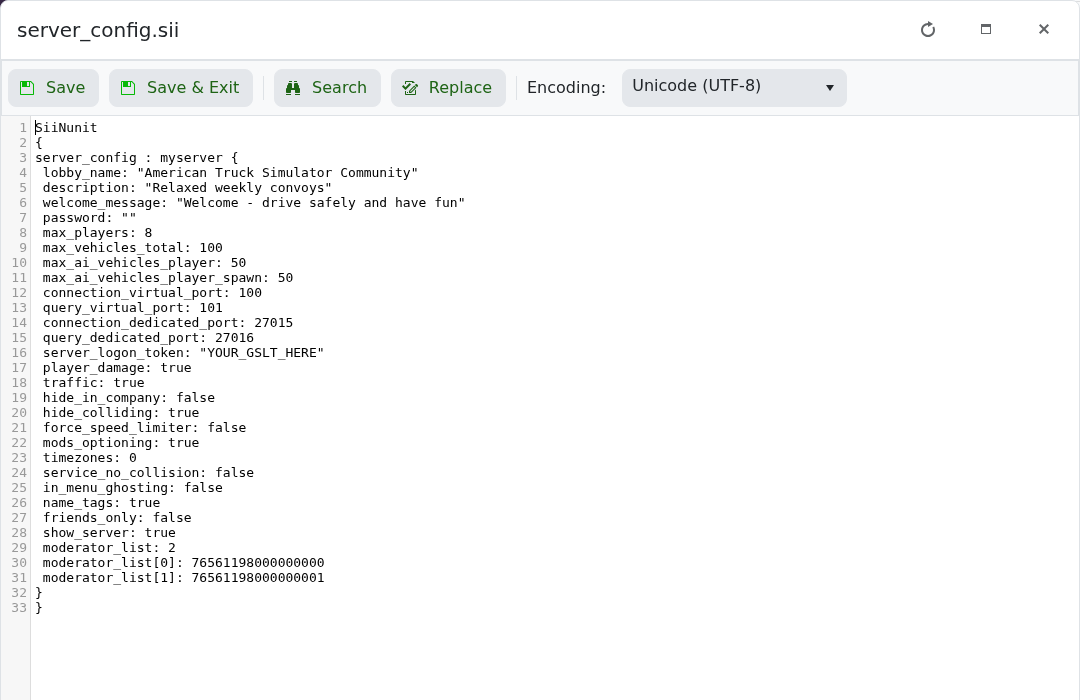
- 点击 保存并退出 并启动服务器。
lobby_name: "American Truck Simulator Community"
description: "Relaxed weekly convoys"
welcome_message: "Welcome - drive safely and have fun"
password: "ChooseAJoinPassword"
请保持引号和周围的 SII 结构不变。服务器名称和描述最多支持 63 个字符;欢迎消息最多支持 127 个字符。
