您可以将 Convoy 会话从公共服务器浏览器中隐藏,将其限制为 Steam 好友可加入,或使用密码保护。这些控制项位于 server_config.sii。
- 停止服务器并打开 配置文件。
- 在
server_config.sii旁点击 文本编辑器。 - 将
show_server设为false以将会话从公共列表中隐藏,或保留为true以设为公开会话。 - 如果只允许主机的 Steam 好友加入,请将
friends_only设为true。 - 如果还想设置加入密码,请为
password添加一个值。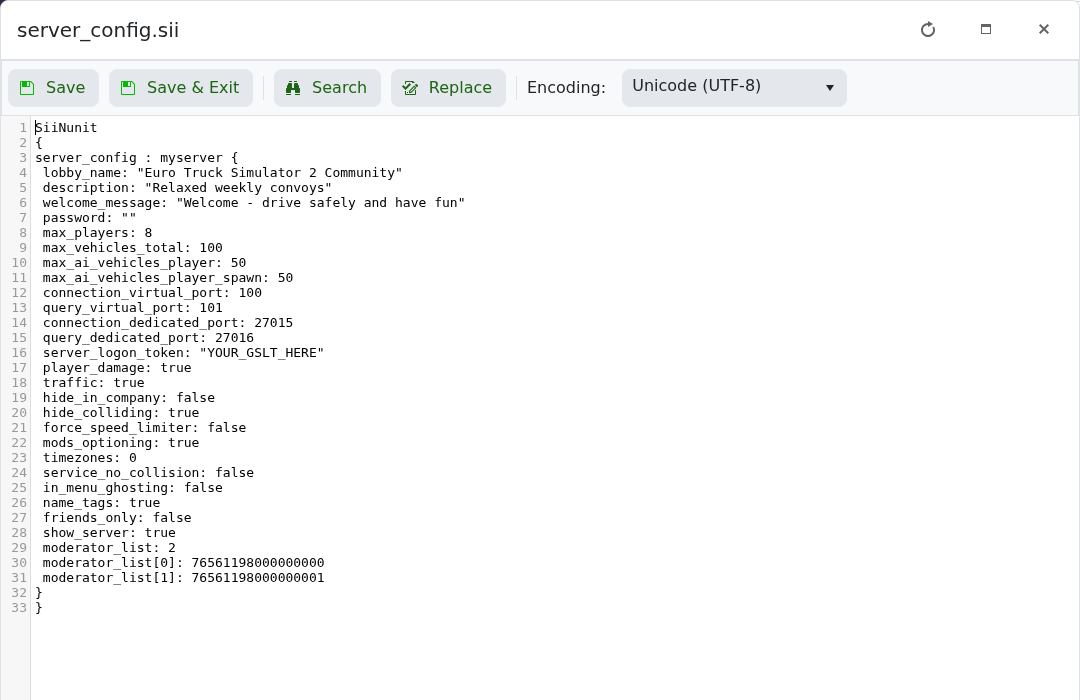
- 点击 保存并退出 并启动服务器。
show_server: false
friends_only: true
password: "ChooseAJoinPassword"
隐藏的会话仍可使用其搜索 ID 加入。如果您只想使用密码保护,请保留 show_server 启用。
