如何查看 Medieval Engineers 服务器日志

列印
  • 0

主专用服务器日志是 worlds/MedievalEngineersDedicated.log。活动世界也会在其自己的 Logfiles 文件夹下保存聊天和 watch 日志。

  1. 重现一次问题并记录时间。
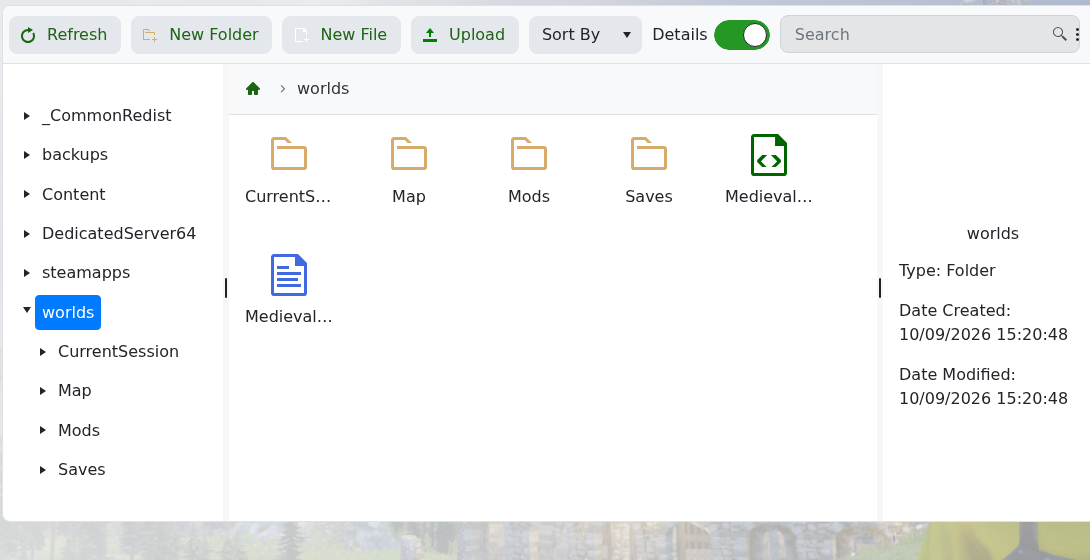
  2. 打开 File Manager,浏览到 worlds 查找 MedievalEngineersDedicated.log

    Medieval Engineers worlds folder in the TCAdmin file manager

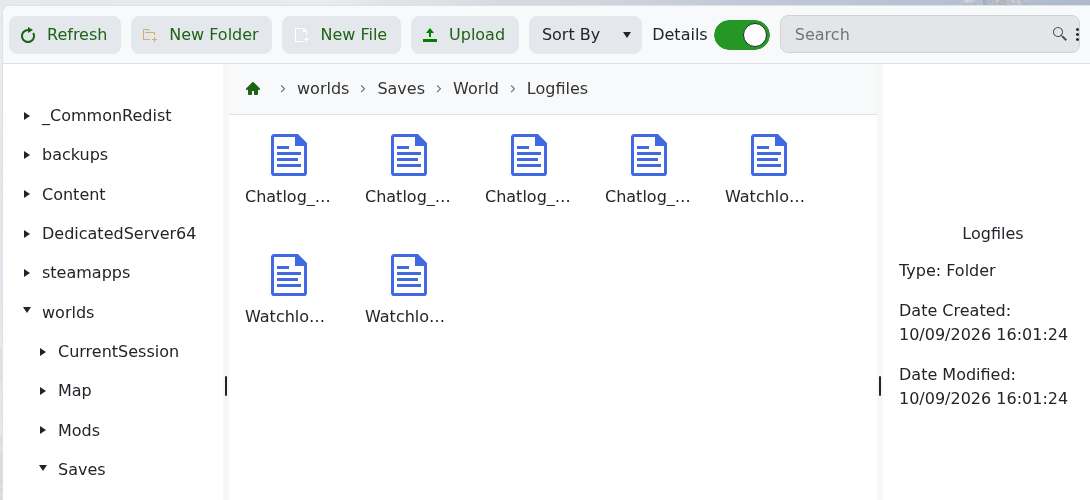
  3. 对于玩家聊天或世界活动,浏览到 worlds/Saves/World/Logfiles

    Medieval Engineers Chatlog and Watchlog files in the active world folder

  4. 打开最新的相关文件,并从问题发生时间附近的第一个错误开始查看。

位于 DedicatedServer64/logs 的文件是 Steam 和运行时支持日志,不是主要的游戏日志。联系支持时请包含相关行和最后一次所做的更改。


這篇文章有幫助嗎?

相關文章

« 返回

Follow us on Social Media

Stay in the loop! Follow our social media accounts and stay up-to-date with the latest news, announcements, tips & tricks and behind-the-scenes insights!