如何加入 Sons of the Forest 服务器

列印
  • 0

Sons of the Forest 在其专用服务器浏览器中列出互联网服务器。搜索在 dedicatedserver.cfg 中设置的确切 ServerName

  1. 在 TCAdmin 中打开该服务并检查其状态是否为 Running。游戏地址显示在 连接信息 下。
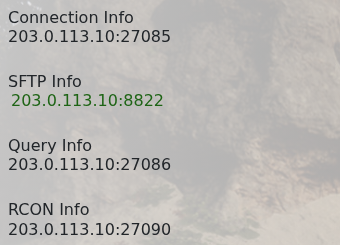
    Sons of the Forest 游戏,在 TCAdmin 中的 SFTP、查询 和 RCON 连接信息

  2. 启动 Sons of the Forest,打开 多人游戏,然后选择 加入
  3. 打开专用服务器浏览器并搜索你配置的服务器名称。
  4. 选择服务器,点击 加入,并在提示时输入其密码。

如果未立即显示,请刷新列表并等待 Steam 更新几分钟。检查已配置的名称,如果服务无法保持 Running,请在 日志查看器 中查看第一个错误。


這篇文章有幫助嗎?

相關文章

« 返回

Follow us on Social Media

Stay in the loop! Follow our social media accounts and stay up-to-date with the latest news, announcements, tips & tricks and behind-the-scenes insights!