你可以通过 TODCycleSpeed 更改昼夜循环。
- 停止 Outpost Zero 服务器,并等待状态显示为 Stopped。
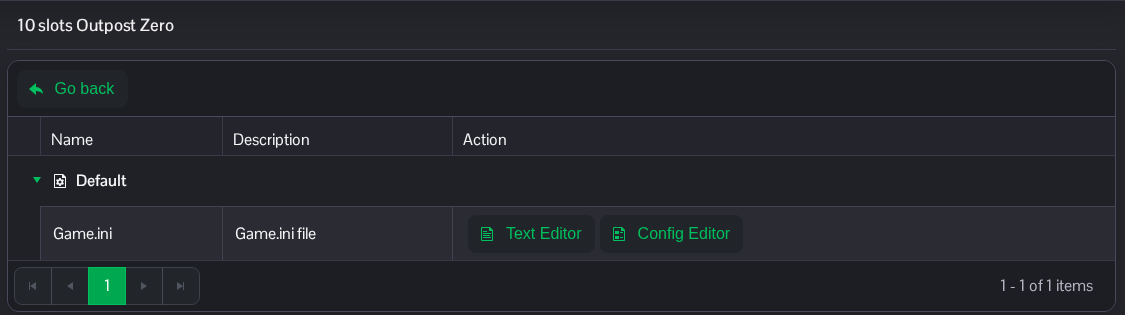
- 打开 Configuration Files,然后点击 Game.ini 旁边的 Text Editor。
- 使用下面的完整区段标题并更改
TODCycleSpeed。安装后的默认值为30.0;此示例使用60.0。保留其他设置不变。如果缺少此区段,请在文件末尾添加一次。[/Game/Blueprints/Environment/BP_Sky_Sphere_Advanced.BP_Sky_Sphere_Advanced_C] TODCycleSpeed=60.0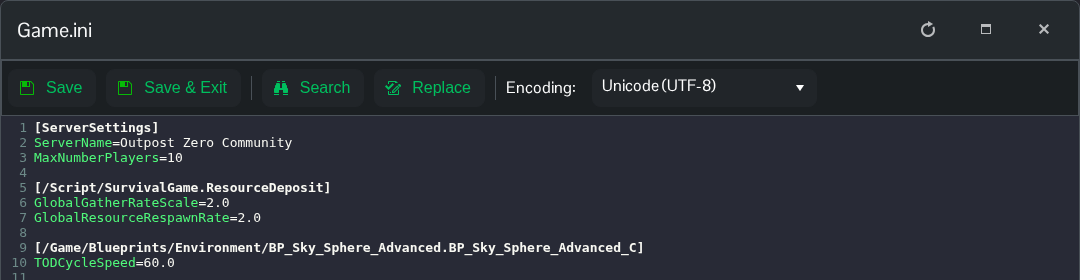
- 点击 Save & Exit,然后启动服务器。
将设置改为 TODCycleSpeed=30.0 并重启服务器,即可恢复安装后的默认值。
你也可以在 File Manager 中打开同一文件,路径为 Saved/Config/WindowsServer/Game.ini。也可以使用 FTP 传输本地副本。
