队伍平衡设置用于控制自动平衡,以及队伍人数之间允许的差值。
- 登录游戏面板,打开你的 Counter-Strike 2 服务,然后点击 Stop。
- 打开 Configuration Files,并在
game\csgo\cfg\server.cfg旁选择 Text Editor。使用此编辑器设置自定义选项。单独的 Config Editor 用于设置默认值,并可能替换现有配置。 - 设置以下两行。此示例会启用自动平衡,并将队伍人数差限制为一人。
mp_autoteambalance "1"
mp_limitteams "1"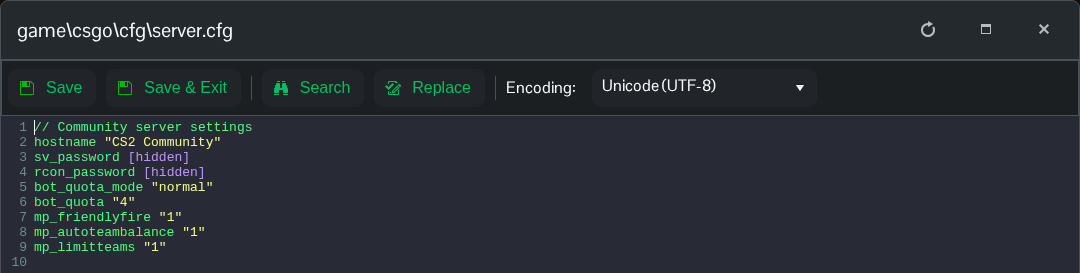
- 点击 Save & Exit,然后启动服务器。通过 RCON 查询
mp_autoteambalance和mp_limitteams,检查当前生效的值。
使用 mp_autoteambalance "0" 可禁用自动平衡。将 mp_limitteams 设为 0 可取消双方队伍人数差的限制。检查特定游戏模式的服务器覆盖文件中是否存在这些设置的冲突副本。
