无波次设置单独控制僵尸波次,不受僵尸重生设置影响。
- 在游戏面板中打开你的 Night of the Dead 服务,然后点击 Stop。等待状态显示为 Stopped。
- 打开 Configuration Files,然后点击
ServerSettings.ini旁边的 Text Editor。请在对应的现有分区中编辑键值,不要添加重复分区。 - 在
[GameSettings/General]下,将NoWave改为1。[GameSettings/General] NoWave=1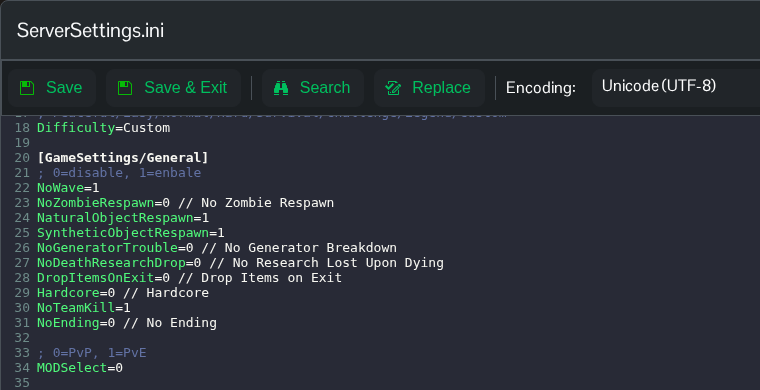
- 点击 Save & Exit,然后返回服务页面并点击 Start。
设置 NoWave=0 并重启服务器,即可恢复僵尸波次。除非你也打算更改僵尸的正常重生设置,否则请保持 NoZombieRespawn 不变。请使用 Text Editor,因为当前配置下,面板中的 No Wave 复选框不会更新此键值。
