通过当前服务器设置保留第一人称视角,并禁用第三人称视角。
- 在游戏面板中打开 SCUM 服务。点击 Stop,并等待显示 Stopped。
- 打开 Configuration Files,然后点击
ServerSettings.ini旁边的 Text Editor。编辑下方所示部分中的现有键。 - 在
[General]下,保留scum.AllowFirstPerson=True,并设置scum.AllowThirdPerson=False。可选的scum.AllowCrosshair=False行还会禁用瞄准准星。[General] scum.AllowFirstPerson=True scum.AllowThirdPerson=False scum.AllowCrosshair=False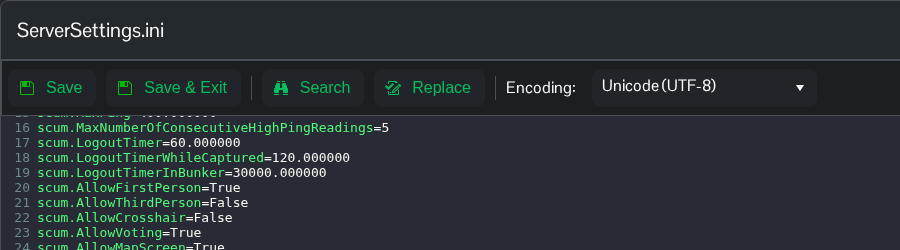
- 点击 Save & Exit,返回服务页面并点击 Start。
请使用 Text Editor 编辑此文件。Config Editor 使用较旧的模板,可能会移除较新的设置。你也可以通过 File Manager 或 FTP 编辑 SCUM/Saved/Config/WindowsServer/ServerSettings.ini。
如需重新启用两种视角,请设置 scum.AllowThirdPerson=True,然后重启服务器。请至少启用一种视角。
