服务器端Arma 3模组由服务器加载,但通常不需要在玩家的客户端上加载。这些模组应使用-servermod启动选项,而不是普通的-mod列表。
- 安装或上传服务器端模组文件。
- 在控制面板中打开您的Arma 3服务器。
- 点击命令行管理器。
- 查看所选的命令行。如果需要编辑启动值,请先创建或编辑自定义命令行:如何为您的Arma 3服务器创建自定义命令行。
- 将仅限服务器的模组文件夹添加到
-servermod。将普通客户端模组保留在-mod中。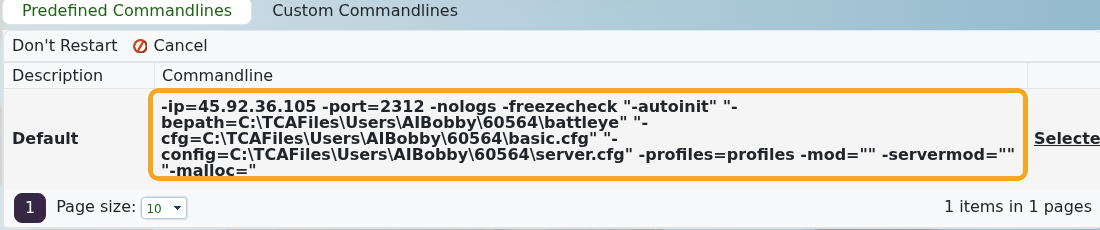
- 如果尚未选择命令行,请选择它。
- 重启服务器。
示例:
-mod="@CBA_A3;@ace" -servermod="@serverTools"
使用-mod加载玩家也必须加载的模组。使用-servermod加载仅限服务器的工具、无头/服务器实用程序以及客户端不应加载的模组。
