Day of Dragons uses Game.ini for its player limit, access lists and gameplay rules. Stop the server before editing it so the running process cannot replace your changes.
- Open the service, create a backup and stop the server.
- Click Configuration Files, then Text Editor beside
Game.ini.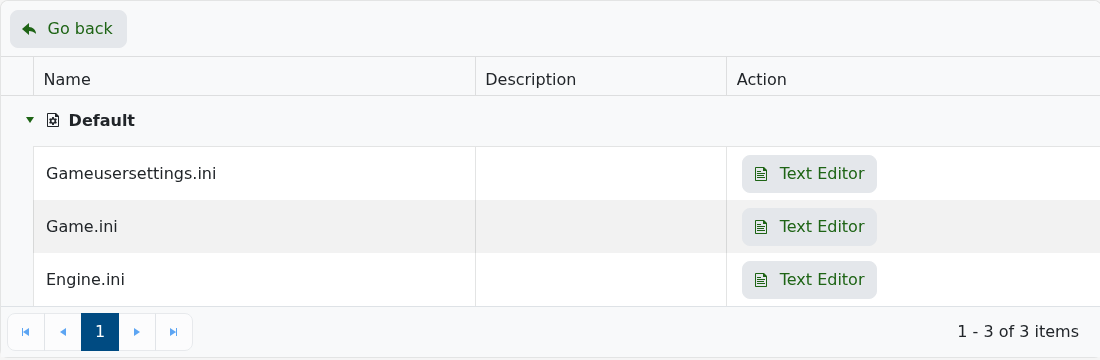
- Keep the existing
[/Game/_Dev/Runtime/Classes/DragonsGI.DragonsGI_C]heading at the top of the file. - Change
iMaxPlayers=only when needed, and do not set it above the number of slots on your service.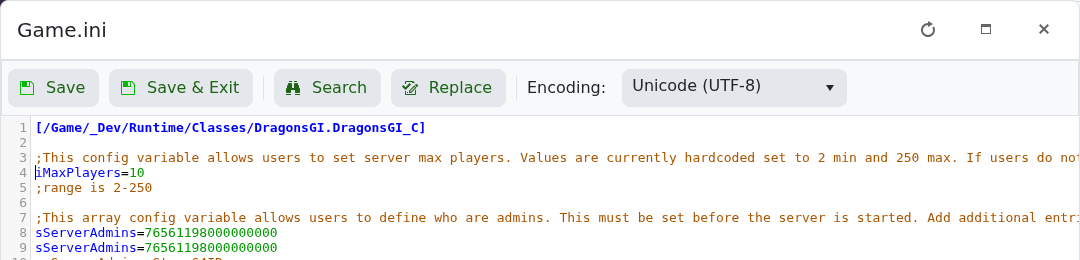
- Click Save & Exit, start the server and test the change.
Add each setting once beneath the existing heading and keep the exact Setting=Value format. The developer's server configuration reference lists the supported values.
