How to whitelist players on your Miscreated server

Miscreated's whitelist uses 17-digit SteamID64 values in whitelist.xml. The whitelist is enforced only when a Whitelist predefined command line is selected.

  1. Collect the SteamID64 for every player who should be allowed to join.
  2. Stop the server and open Configuration Files.
  3. Open the whitelist.xml Text Editor and add one element per player inside <SteamIDs>:
<SteamIDs>
  <SteamID id="76561198000000000"/>
  <SteamID id="76561198000000001"/>
</SteamIDs>
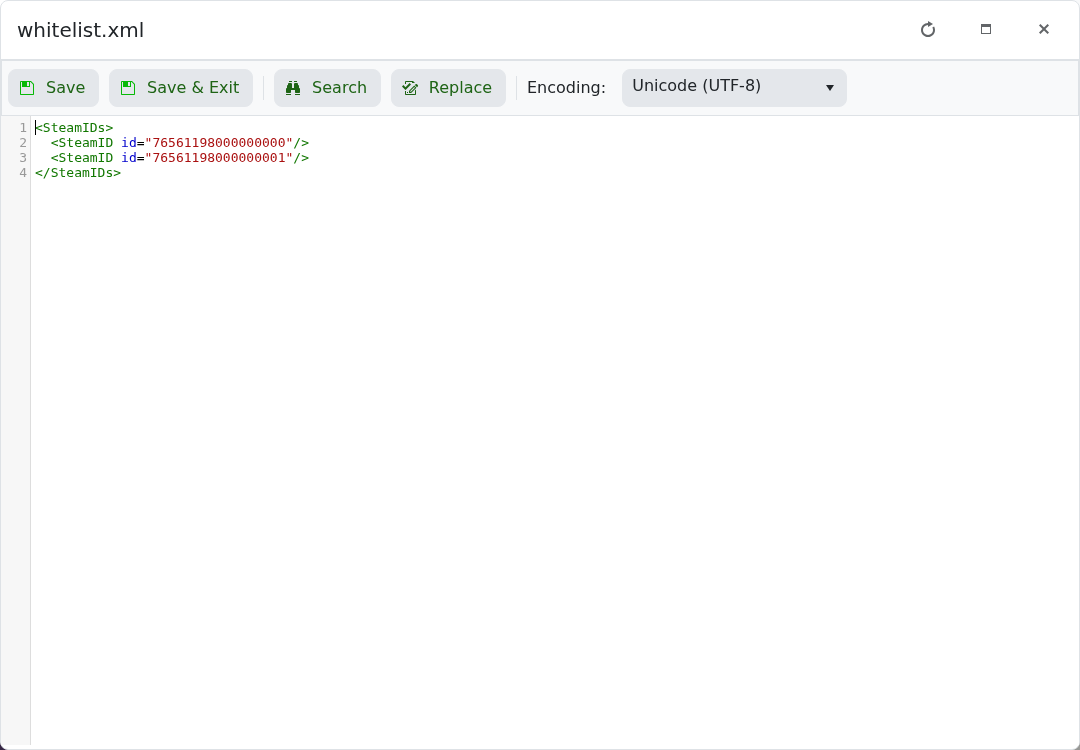
Miscreated whitelist.xml containing two example SteamID64 entries

  1. Save the file and open Commandline Manager.
  2. Select Whitelist, or Whitelist (No admin) if you do not want RCON enabled.
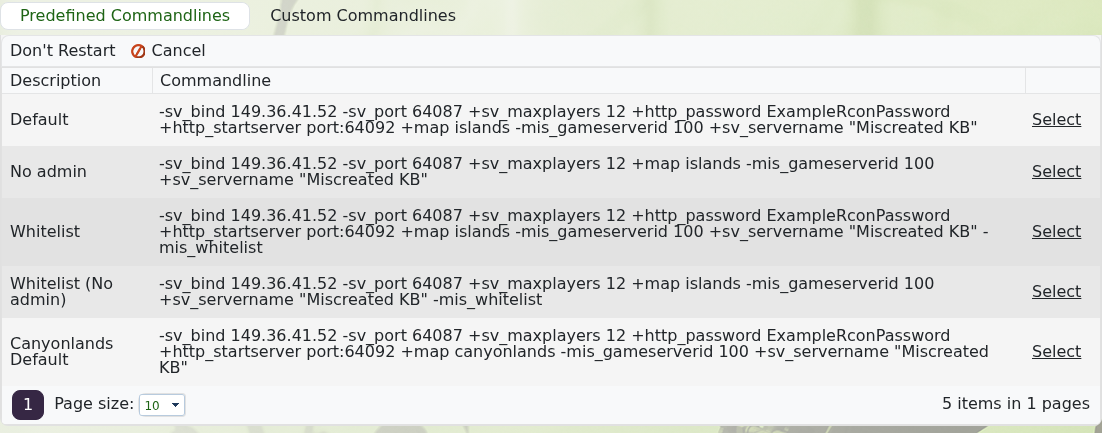
    Miscreated predefined command lines including Whitelist and Whitelist No admin

  3. Start the server and test with an allowed account.

To disable the whitelist, stop the server and select Default or No admin. Removing IDs from the XML file alone does not remove the -mis_whitelist startup option.

  • 0 Users Found This Useful
Was this answer helpful?

Related Articles

Configuration settings for your Miscreated server

Miscreated keeps its main server settings in hosting.cfg. The panel provides both a configuration...

Commands for your Miscreated server

These Miscreated commands can be used for common server administration tasks. Enter commands...

How to install mods on your Miscreated server

Miscreated loads Steam Workshop items from the steam_ugc value in hosting.cfg. Use the numeric...

How to join your Miscreated server

The service page shows the game address and a Join button once Miscreated is running. Open the...

How to use the Canyonlands map on your Miscreated server

The Miscreated package includes a tested Canyonlands Default command line, so you do not need to...