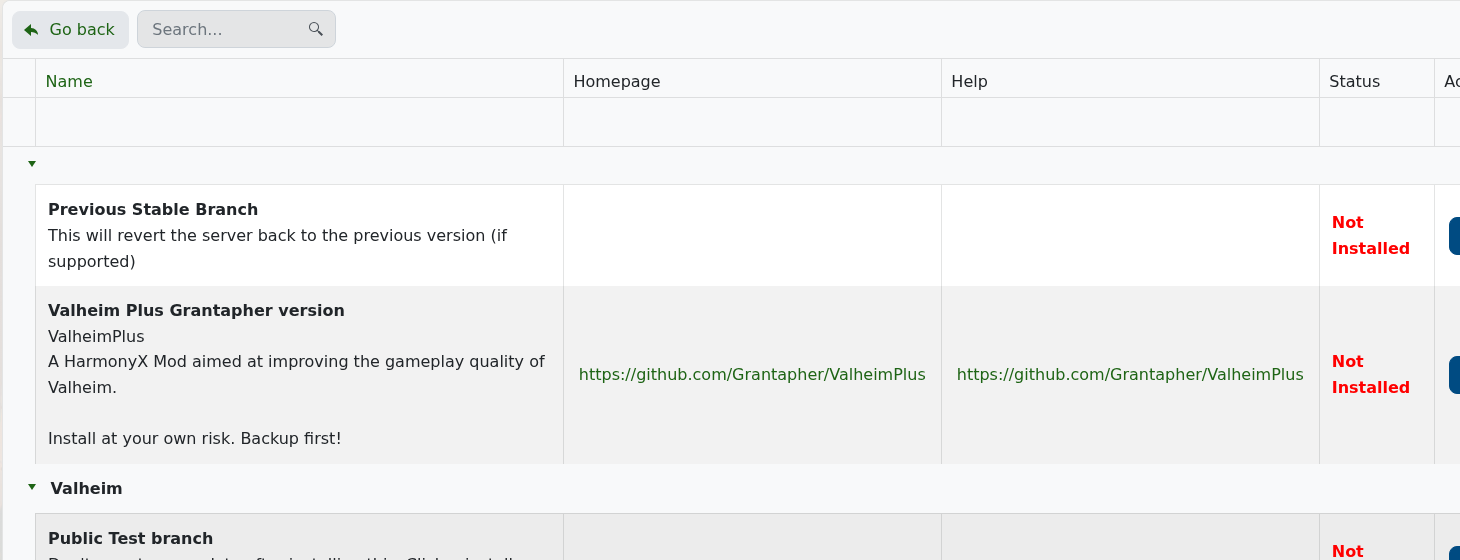
大多数手动Valheim模组使用BepInEx。在此Valheim服务中,模组管理器不显示独立的BepInEx安装程序;它显示服务器分支选项和Valheim Plus。使用模组管理器安装Valheim Plus,其他基于BepInEx的模组请使用手动BepInEx上传流程。
- 首先进行备份。
- 检查模组管理器。如果您需要的模组在其中列出,请从面板安装,而不是手动上传文件。
- 对于手动BepInEx模组,从Thunderstore下载与Valheim兼容的BepInExPack Valheim:BepInExPack Valheim。
- 停止服务器。
- 打开文件管理器。
- 将BepInEx包内容上传到Valheim服务器根目录,放在
valheim_server.exe旁边。解压后,您应该在服务器根目录中看到类似BepInEx的文件夹。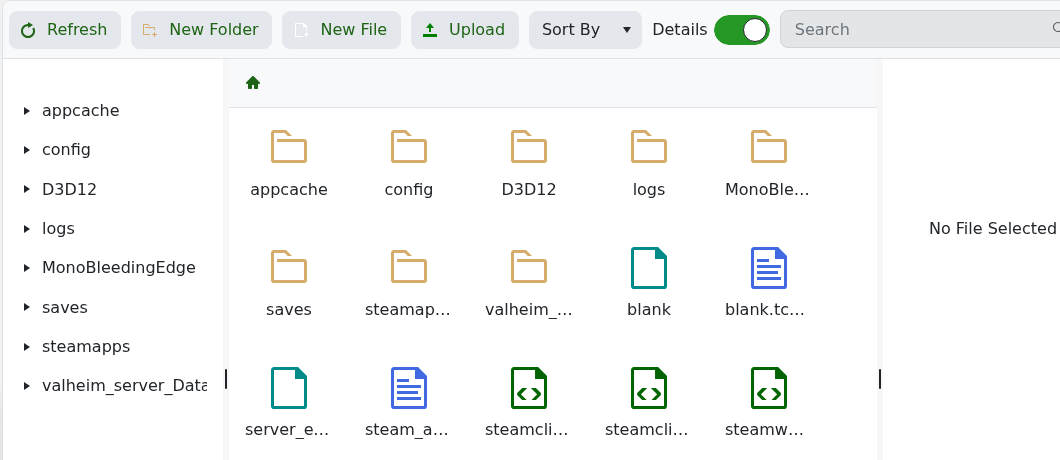
- 将模组插件
.dll文件上传到BepInEx/plugins。如果模组包含配置文件,请将其上传到模组作者列出的路径。 - 启动服务器一次,以便BepInEx创建任何缺失的文件夹和配置文件。
- 再次停止服务器,必要时编辑生成的模组配置,然后启动服务器。
Valheim Plus与此通用手动模组流程分开;请使用如何在您的Valheim服务器上安装Valheim Plus。如果您不确定模组文件的位置,请在将其上传到在线服务器之前,提交支持票并附上模组链接。
