How to check Voyagers of Nera server logs

Use Log Viewer for quick diagnosis. The current game log is also stored at BoatGame/Saved/Logs/BoatGame.log.

  1. Reproduce the problem once and note the time.
  2. Open Log Viewer, or browse to the log through File Manager.
  3. Find the first warning or error from the latest start attempt.
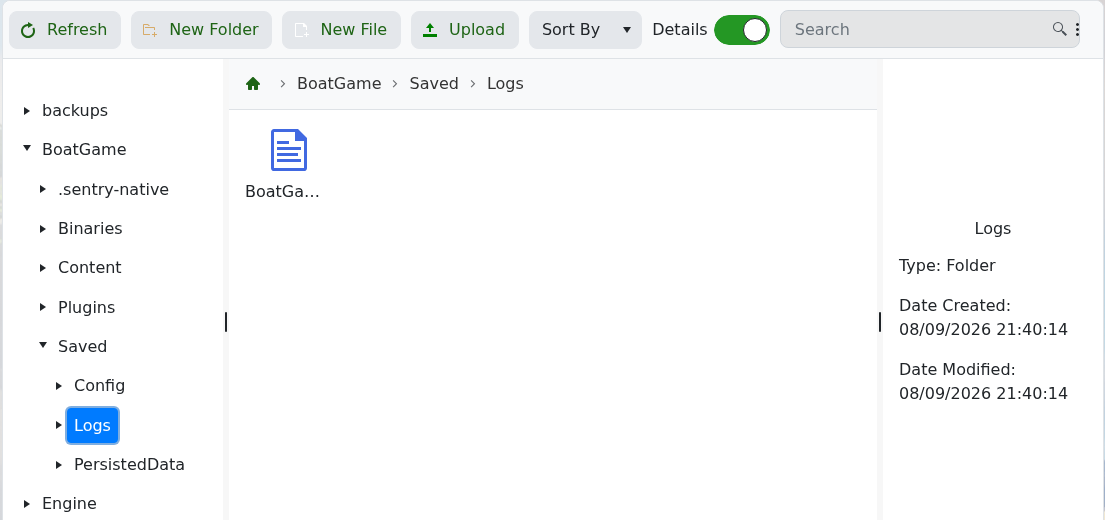
Voyagers of Nera BoatGame.log in the Saved Logs folder

Include the relevant timestamped lines when contacting support. Do not send server passwords or unrelated account details.

  • 0 Users Found This Useful
Was this answer helpful?

Related Articles

How to back up your Voyagers of Nera server

Create a backup before changing server settings, updating the game or working with persisted...

How to change your Voyagers of Nera server name

The server name is stored in CustomHostServerUserSettings.ini and is available through the basic...

How to change your Voyagers of Nera server password

A join password keeps the server private. It is stored beside the server name in...

How to find and join your Voyagers of Nera server

Voyagers of Nera servers are joined through the in-game browser using the server name configured...

How to change the autosave interval on your Voyagers of Nera server

The basic configuration editor exposes Auto Save Timer. The current package default is 300. Stop...