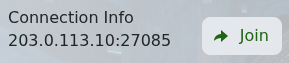
Soulmask can connect directly with the game address shown in TCAdmin. Use the IP address and port under Connection Info, not the SFTP, Query or RCON ports.
- Open your Soulmask service and note the IP address and port under Connection Info.
- Start Soulmask and choose Online Game.
- Click Connect To The Server Directly at the bottom of the server list.
- Enter the IP address and port in their separate fields, add the server password if one is set, then connect.
If the connection fails, confirm that the service is Running and that your game has finished updating. Search by the configured server name only after direct connect works, because public server lists can take longer to refresh.
