The pvp value in Engine.ini controls whether player-versus-player combat is enabled.
- Create a backup, stop the server and open the Text Editor for
Engine.ini. - Under
[Dedicated.Settings], usepvp=Truefor PvP orpvp=Falsefor PvE.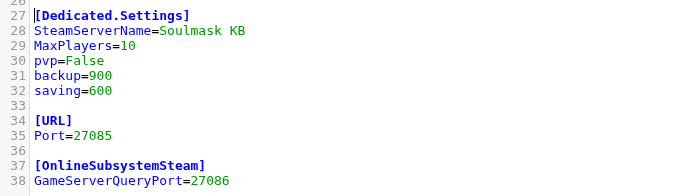
- Click Save & Exit and start the server.
- Join and test the mode before changing any related damage settings.
The package preserved this value through its normal configuration workflow. Tell existing players before changing modes, particularly when moving a long-running PvE world to PvP.
