MaxPlayers controls how many players can connect at the same time.
- Stop the server, open Configuration Files and use the Text Editor for
Engine.ini. - Find
MaxPlayersunder[Dedicated.Settings]and enter the required number.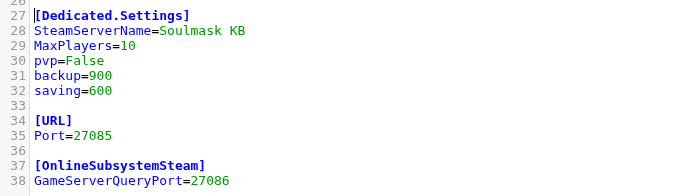
- Click Save & Exit and start the server.
MaxPlayers=10
Do not set the value above the slot allowance on your service. If you need more slots, change the service allowance first so the configured limit and hosting plan remain consistent.
