How to change your Vein Server to PVP
VEIN is a post-apocalyptic survival multiplayer sandbox game. In the near future, the apocalypse has occurred: hostile zombies roam the Earth, most people have died, and society has collapsed. You are a survivor. Gather supplies to survive, explore abandoned buildings, combat bandits, defend your home, and rebuild society with friends.
Changing your server to PVP
Vein is a post-apocalyptic survival multiplayer game. If you would prefer your server to be set to Player Versus Player (PVP) then we will show you how to do this in this guide.
Changing your servers gamemode to PVP:
- Login to your TCAdmin control panel:
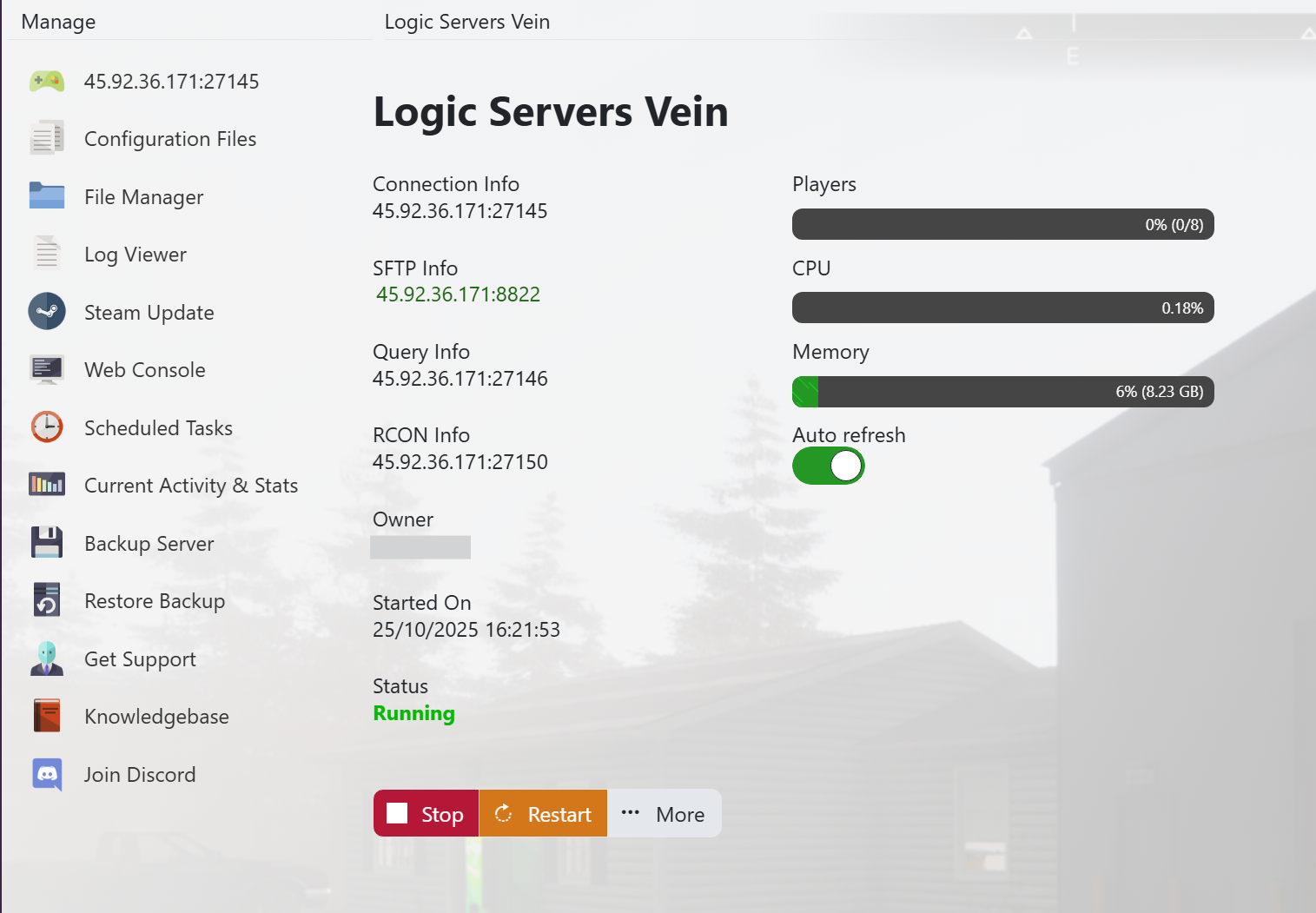
- When you purchased your Vein server with us you will have been sent your login details via email. Use those details to login to your TCAdmin control panel. When you are logged into your panel you will see various options available to you. From here you can control your server. If you do not have a server with us you can get one here - https://logicservers.com/game-servers/vein
- Stop your server:
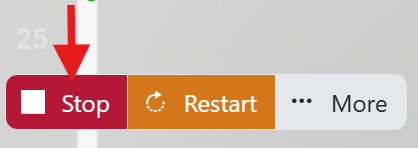
- You will need to stop your server before you make any changes. Press the STOP button on your panel and wait until the server closes down.
- Manually backup your server:

- It's always a good idea to backup your server before you make any changes. Simply press the backup button located on the left hand menu as shown in the image. This will backup your server’s save files and config.
Our system will pack up all your server’s save files and keep them safe on our remote backup service, just to be extra safe.
- Open up your servers Configuration Files menu:

- Click on the ‘Configuration Files’ button on the left hand menu on your server panel.
- Open up the Config Editor:

- Click on the ‘Config Editor’ button next to the ‘Engine.ini’.
- Change your server to PVP mode and save it:
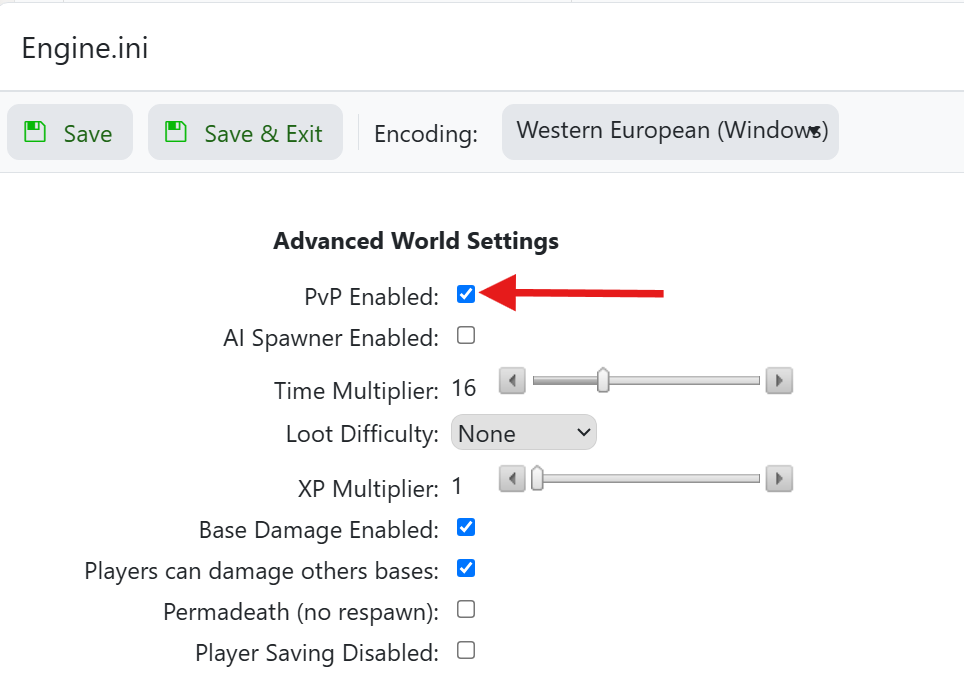
- Tick the ‘PVP Enabled’ checkbox to set your server to PVP.
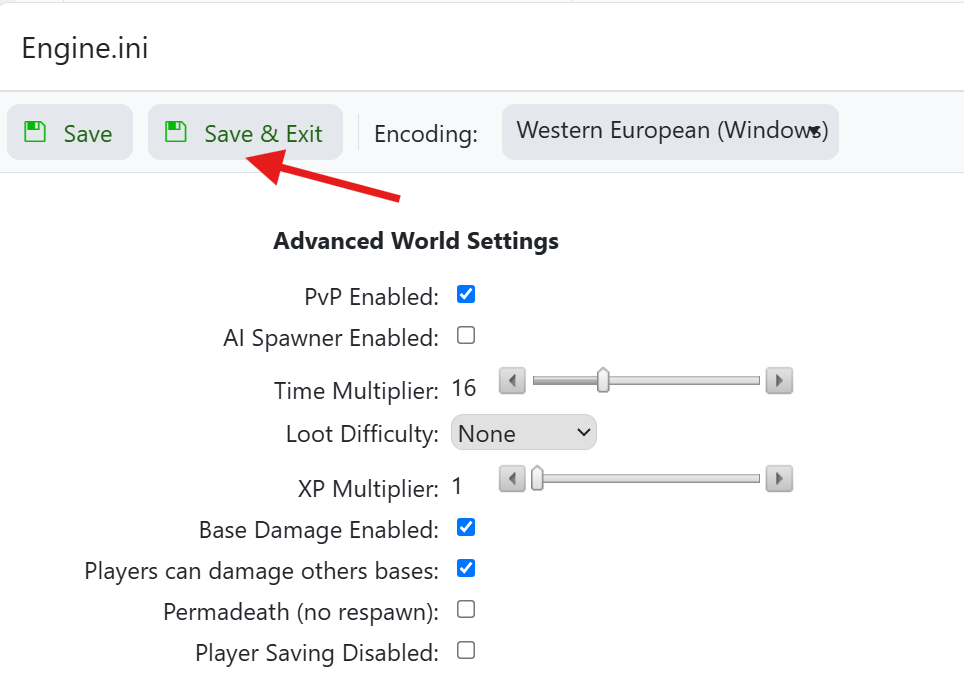
- When you're done click on the ‘Save and Exit’ button above.
Your can now start your server and should find that its now set to Player Versus Player mode so you and your friends can enjoy the challenges that playing PVP has to offer.
Please check out our other guides on Vein here - Vein Knowledgebase Guides
