Upload a Space Engineers world when you want to move a single-player or locally hosted save onto your server. The world folder must be uploaded to the server's save directory, then the active world name must match the folder you want Space Engineers to load.
Prepare The World
- Open Space Engineers on your PC.
- Create or load the world locally with the settings and mods you want.
- Exit the world so the save is written to disk.
- On your PC, open
%appdata%\SpaceEngineers\Saves, then find the folder for the world you want to upload.
Upload The World
- Open your Space Engineers server in the control panel.
- Stop the server.
- Click File Manager.
- Open
worlds/Saves. Upload the world folder into this location.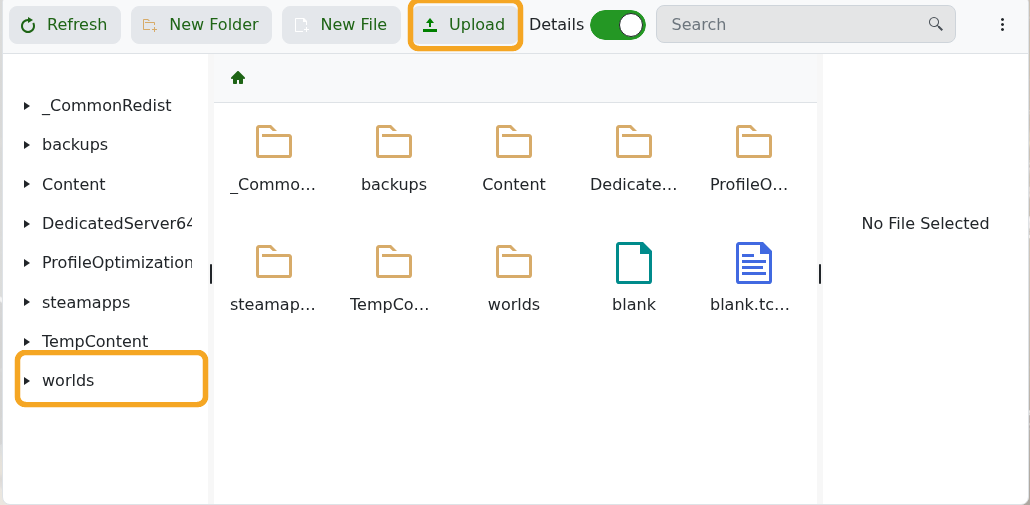
- Click Configuration Files, then open
worlds\SpaceEngineers-Dedicated.cfgwith Config Editor.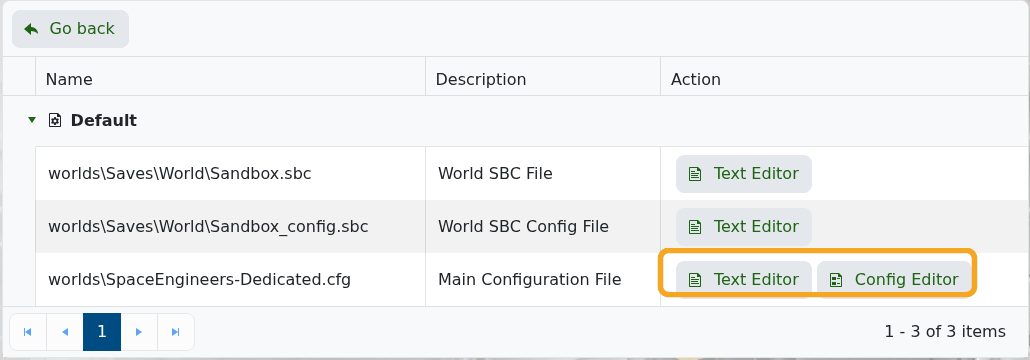
- Set World Name to the uploaded world folder name.
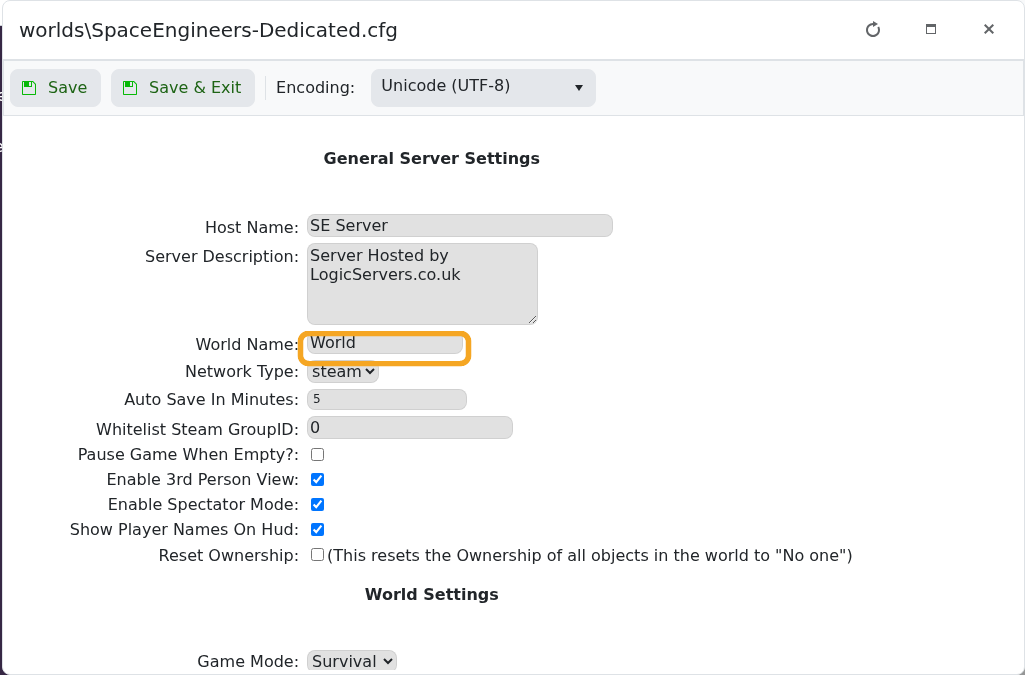
- Click Save & Exit, then start the server.
If the world uses Workshop mods, install or add those mods as well before starting the server. Mismatched mod lists are a common reason uploaded worlds fail to load.
