Frozen Flame uses bFreePVP to control combat between players who are not friends.
- Stop your Frozen Flame server in the game control panel and wait for Stopped.
- Open Configuration Files and choose Text Editor beside
Game.ini. The Config Editor for this file currently shows a placeholder.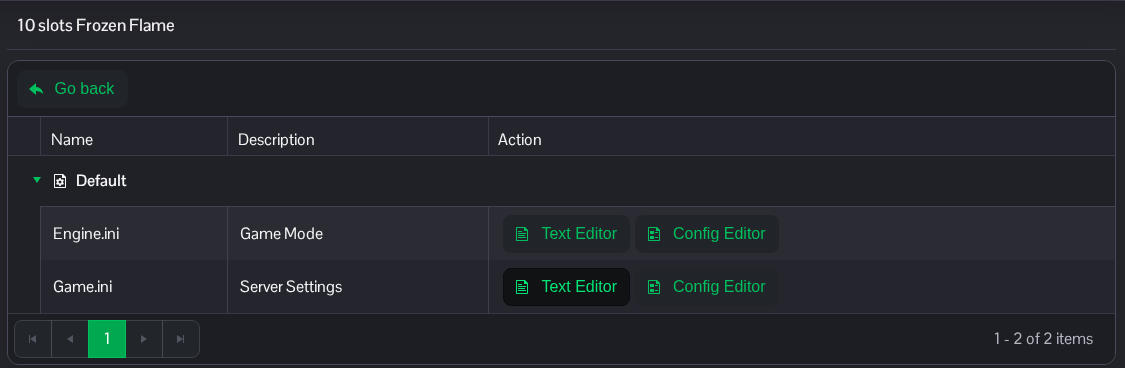
- Find
[/Script/FrozenFlame.GameBalance]. Change the existingbFreePVPline toFalseto disable PvP between players who are not friends, orTrueto enable it.[/Script/FrozenFlame.GameBalance] bFreePVP=False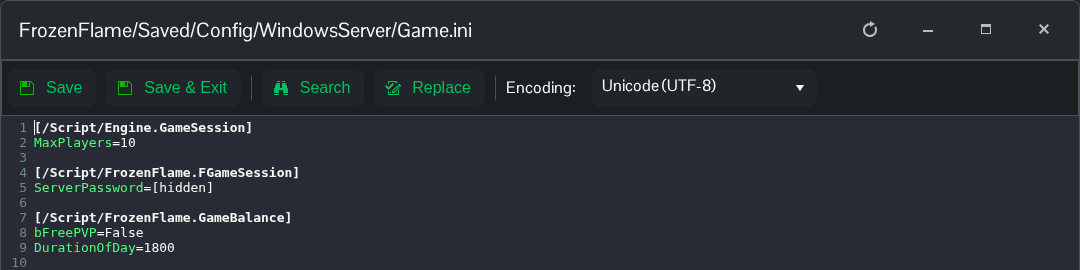
- Click Save & Exit, return to the service page and start the server.
If you prefer to edit a downloaded copy, the file is FrozenFlame/Saved/Config/WindowsServer/Game.ini in File Manager. You can also transfer it using FTP. Keep the existing section headings and unrelated settings.
