Frozen Flame can prevent players from teleporting while they are overweight. You can allow teleporting without disabling the whole weight system.
- Stop your Frozen Flame server in the game control panel and wait for Stopped.
- Open Configuration Files and choose Text Editor beside
Game.ini. The Config Editor for this file currently shows a placeholder.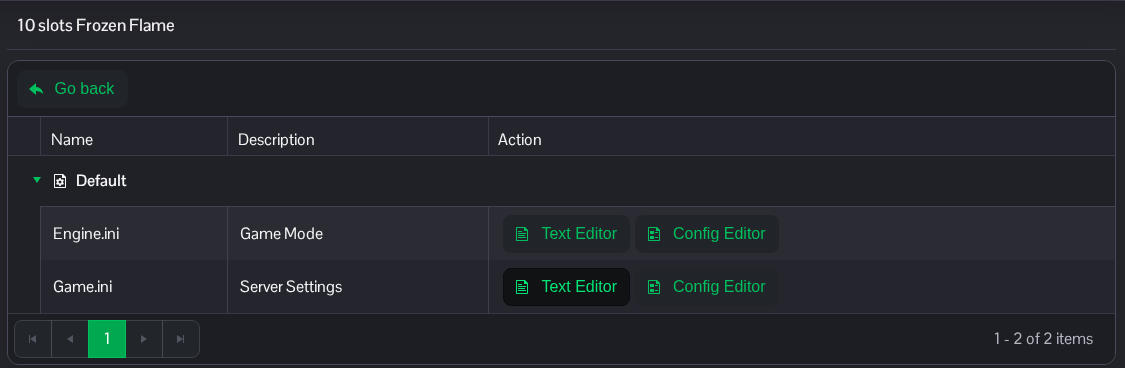
- Find
[/Script/FrozenFlame.GameBalance]. FindbIsAllowedToTeleportWithOverweightand change its value toTrue. UseFalseto restore the restriction.[/Script/FrozenFlame.GameBalance] bIsAllowedToTeleportWithOverweight=True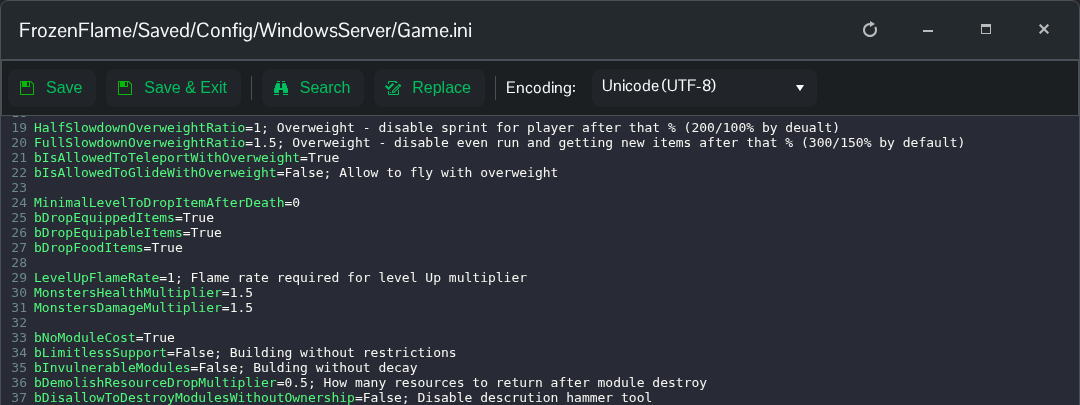
- Click Save & Exit, return to the service page and start the server.
This setting is separate from bDisableOverweight and bIsAllowedToGlideWithOverweight; leave those values unchanged if you only want to allow teleporting.
If you prefer to edit a downloaded copy, the file is FrozenFlame/Saved/Config/WindowsServer/Game.ini in File Manager. You can also transfer it using FTP. Keep the existing section headings and unrelated settings.
