Set a join password to restrict your Onset server to invited players.
- Stop your Onset server in the game control panel and wait for Stopped.
- Open Configuration Files and choose Text Editor beside
server_config.json. Use Text Editor for Onset. The Config Editor currently saves invalid JSON.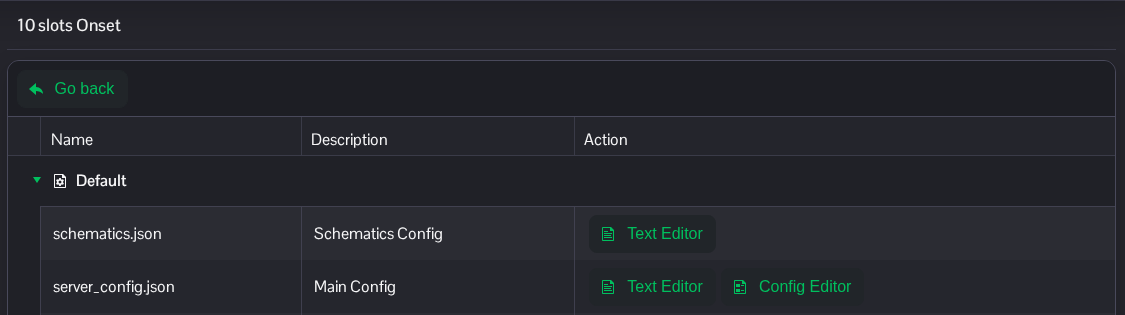
- Replace the text between the quotation marks in
passwordwith your own join password. Change the existing entries and keep the rest of the JSON, including its commas."password": "ChooseYourOwnJoinPassword",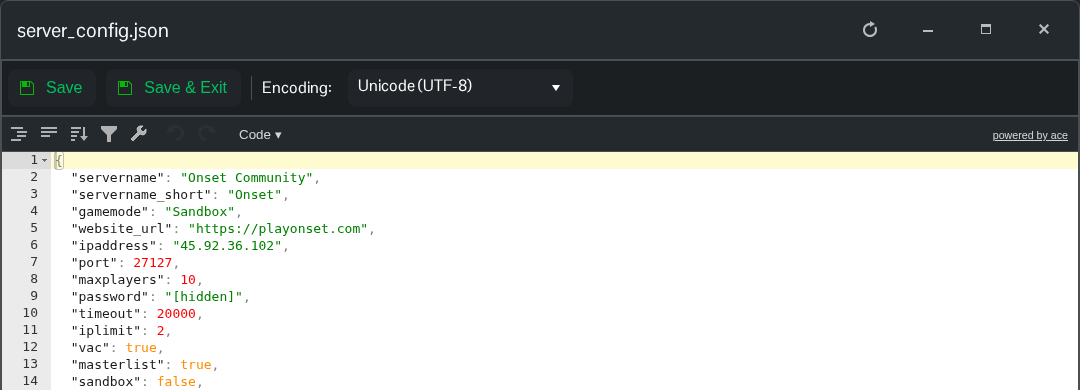
- Click Save & Exit, return to the service page and start the server.
Give the password to your players after the restart. To remove it, leave the value empty as "password": "", keeping any comma required by the next entry.
The file is server_config.json at the root of File Manager. FTP is an alternative if you prefer to transfer a local copy.
