Onset runs the packages listed in server_config.json. The package folder and its name in the configuration must match.
- Stop your server and open File Manager, then open
packages. Check that the package you want is already installed there. FTP is an alternative for browsing or transferring package files.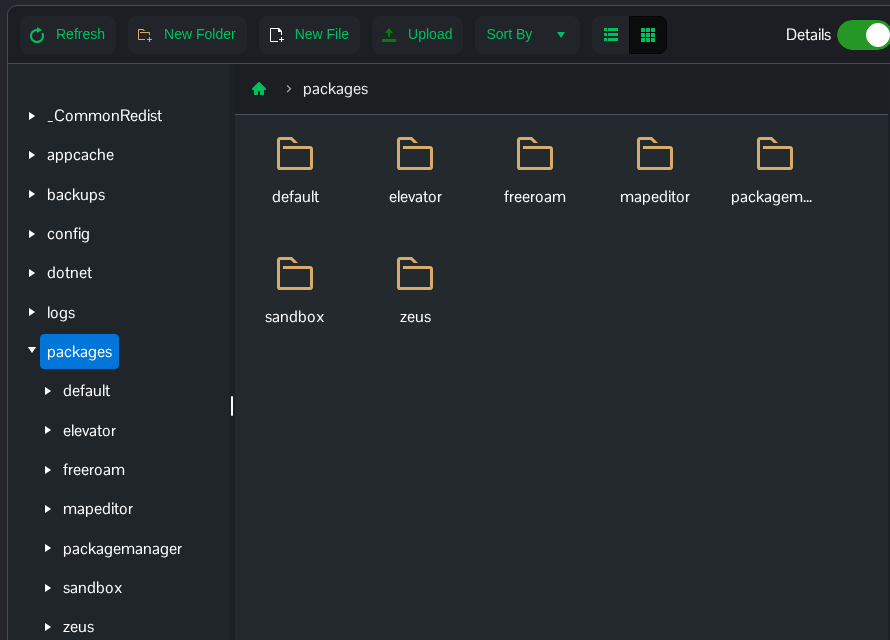
- Open Configuration Files and choose Text Editor beside
server_config.json. Use Text Editor because the current Config Editor saves invalid JSON. - Find the
packagesarray. Remove the package name to disable it, or add the exact installed folder name to enable it. Keep the remaining package names and their order. This example disables the packaged elevator scripts by leaving outelevator."packages": [ "packagemanager", "zeus", "default", "freeroam", "sandbox" ],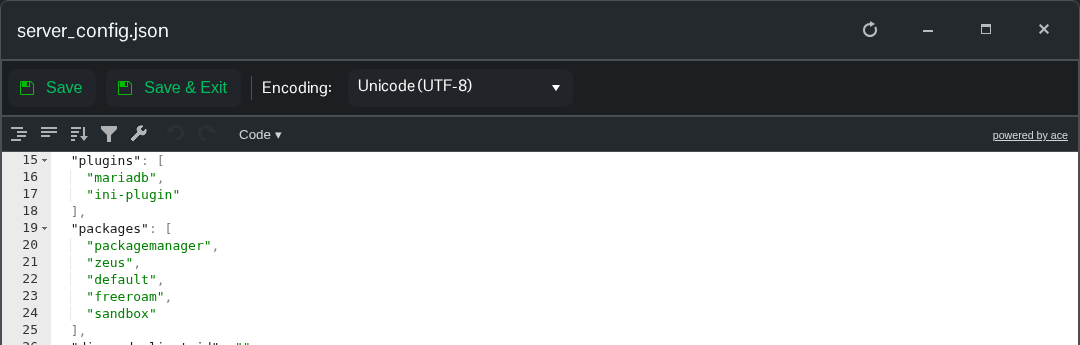
- Click Save & Exit and start the server. Download
server_log.txtfrom Log Viewer and check the latest startup forStarting packagemessages.
To enable the packaged elevator again, restore "elevator" after "default" in the list. Changing the game mode description alone does not load a package.
