Download a ZIP of the cfg folder before changing CS2 settings. You can compress and download it through File Manager, or use FTP to download the folder.
- Log in to the game panel, open your Counter-Strike 2 service and Stop it.
- Open File Manager. Its starting folder is already
game, so opencsgo. You can also connect through FTP and opencsgoinside your service directory. - Right-click the
cfgfolder and choose Compress. The panel createscfg.zipin the currentcsgofolder.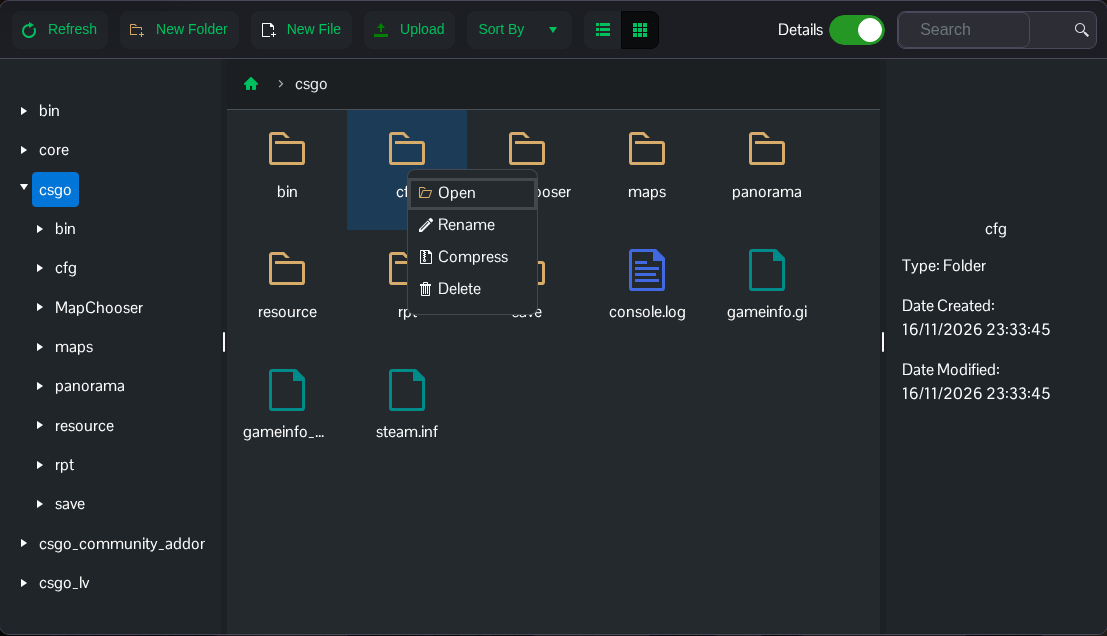
- Right-click
cfg.zipand choose Download. Save the ZIP on your own computer and give the local copy a dated name.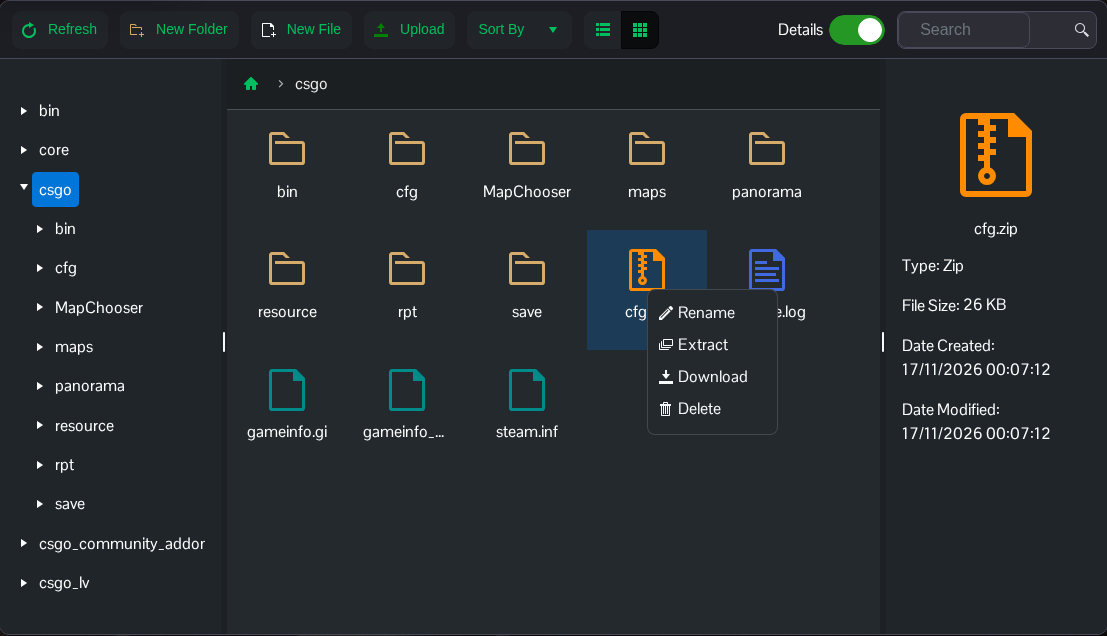
- Open the downloaded ZIP to check that it contains a top-level
cfgfolder withserver.cfgand your custom mode files. Start the server when you have finished.
This copy covers configuration under game/csgo/cfg. It does not include maps, plugins, saves or files elsewhere. Keep the archive private because it can contain join and RCON passwords. Move or remove an older server-side cfg.zip before making another snapshot.
