Choose a difficulty preset, or enable Custom Settings before editing individual difficulty values.
- Open your Night of the Dead service in the game panel and click Stop. Wait for it to show Stopped.
- Open Configuration Files, then Config Editor beside
ServerSettings.ini. - Choose a preset in Difficulty. Select Custom Settings if you want to use individual custom values, then save.

- For custom zombie settings, open Text Editor for the same file. Check
Difficulty=Customunder[GameSettings]. Under[GameSettings/Basic], edit the existing settings. The example below sets zombie health and damage using the file’s supported range of0to100.[GameSettings] Difficulty=Custom [GameSettings/Basic] NormalZombieHealth=25 ZombieDamage=20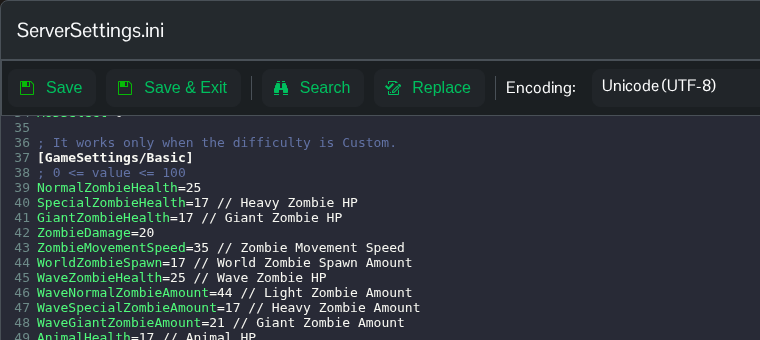
- Click Save & Exit, then return to the service page and click Start.
The numeric values are the game’s setting values; they are not percentages of health or damage. Use Text Editor for custom values because the panel’s zombie controls do not update these keys in the current configuration.
