Factorio autosaves are controlled from server-settings.json. You can change how often the server autosaves and how many autosave slots it keeps.
Changing autosave settings
- Open your Factorio server in the control panel.
- Stop the server, then take a backup.
- Click Configuration Files.
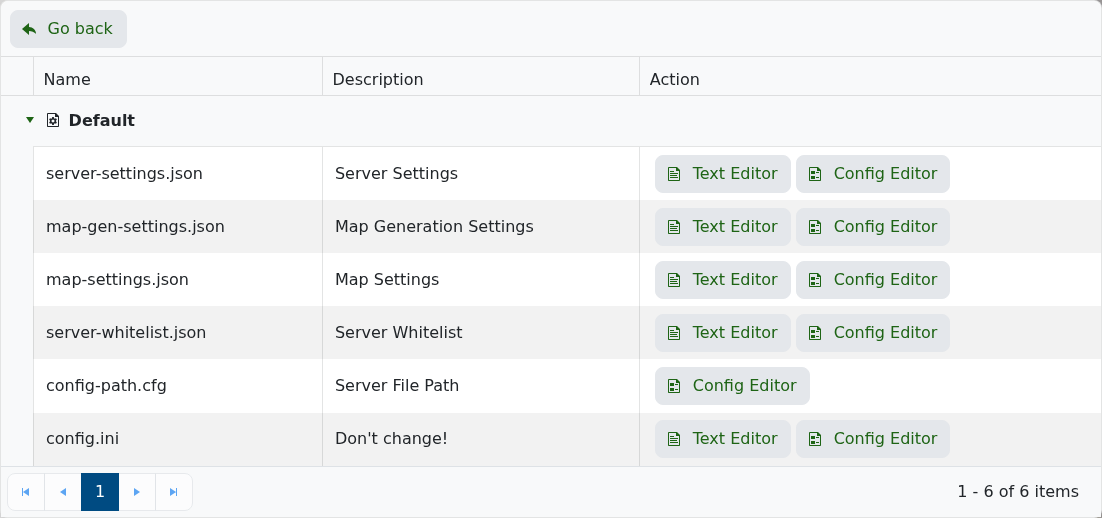
- Edit server-settings.json.
- Find the autosave settings:
"autosave_interval": 10,
"autosave_slots": 12,
"autosave_only_on_server": true
- Change autosave_interval to the number of minutes between autosaves.
- Change autosave_slots to how many autosaves should be kept before old ones are overwritten.
- Save the file, then start the server again.
Rolling back to an autosave
- Stop the server and take a backup first.
- Open File Manager, then open the saves folder.
- Find the autosave .zip file you want to use.
- Rename or copy the autosave so it matches the save file your server is configured to start.
- Start the server again.
If you are not sure which save file your server is starting from, submit a support ticket before deleting or renaming saves.
