Fear the Night guarda a definição de PvE em GameUserSettings.ini. Pode ativá-la sem substituir os ficheiros do seu mundo.
- Abra o seu servidor Fear the Night no painel de controlo do jogo e clique em Stop. Aguarde até o estado ser Stopped.
- Abra Configuration Files e clique em Text Editor, junto a
GameUserSettings.ini.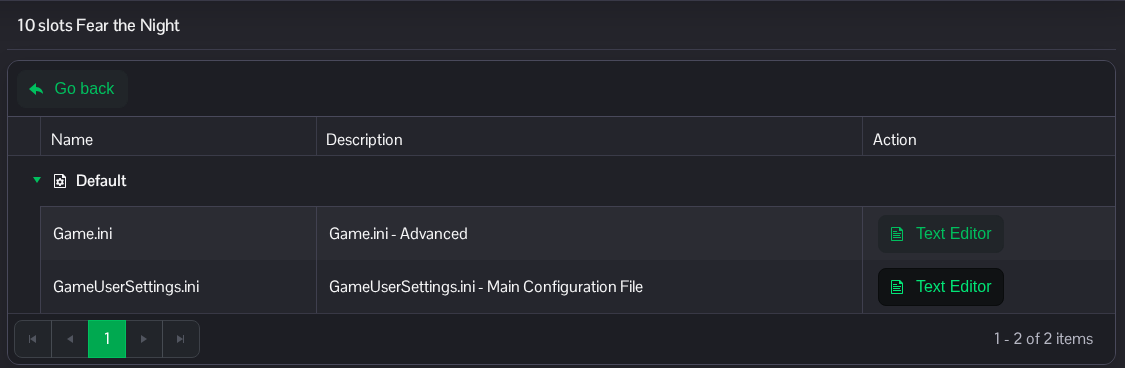
- Localize
[ServerSettings]. DefinaServerPVE=Truepara ativar o PvE. Adicione a linha se não existir; não adicione uma segunda secção[ServerSettings].[ServerSettings] ServerPVE=True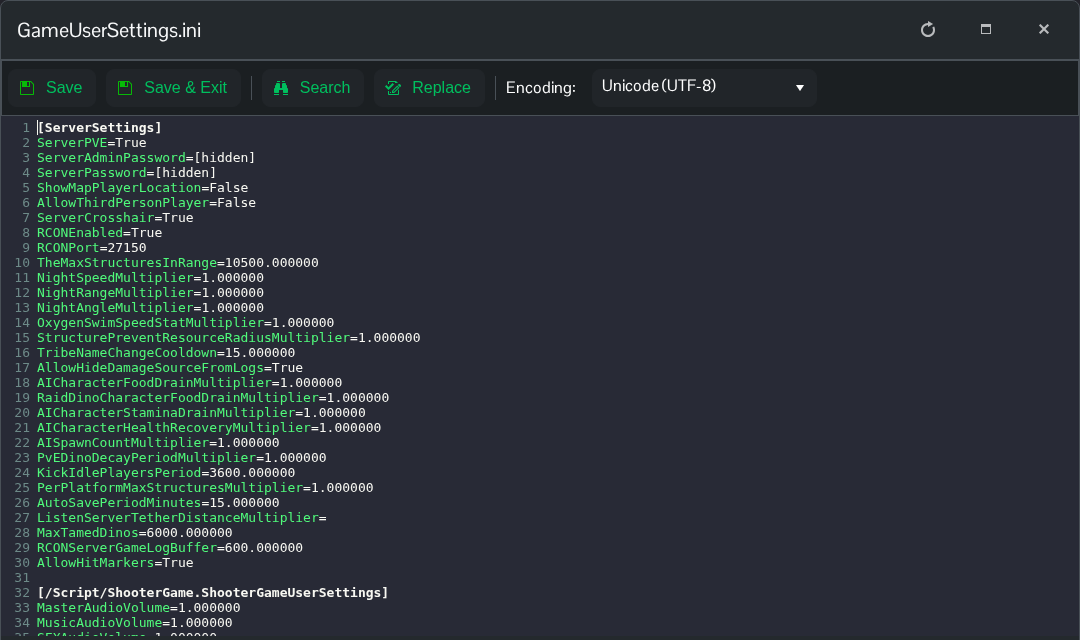
- Clique em Save & Exit, volte à página do servidor e clique em Start. Use
ServerPVE=Falsee reinicie o servidor se quiser voltar ao PvP.
Também pode aceder a este ficheiro através de File Manager, em Saved/Config/WindowsServer/GameUserSettings.ini. FTP é outra opção se preferir editar uma cópia transferida.
