ARK难度控制最大野生恐龙等级和战利品缩放。通常在GameUserSettings.ini中更改难度,然后在重启和清除野生恐龙后应用。
- 在控制面板中打开您的ARK服务器。
- 点击配置文件。
- 使用配置编辑器或文本编辑器打开
GameUserSettings.ini。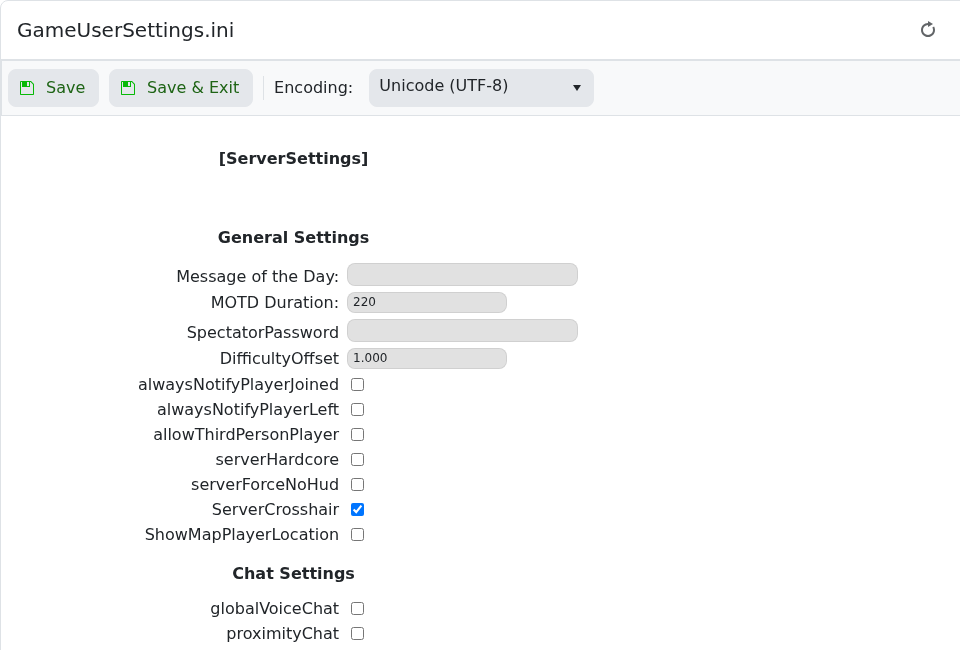
- 设置
DifficultyOffset,如果需要,还可以设置OverrideOfficialDifficulty。示例:DifficultyOffset=1.0 OverrideOfficialDifficulty=5.0 - 点击保存并退出,然后重启服务器。
- 更改难度后,从管理员控制台运行
admincheat DestroyWildDinos,以便新的野生恐龙以更新的等级生成。
对于150级野生恐龙的常见设置是DifficultyOffset=1.0和OverrideOfficialDifficulty=5.0。重启后始终测试这些值。
