如何编辑您在 Outlaws of the Old West 服务器上的封禁列表

列印
  • 8

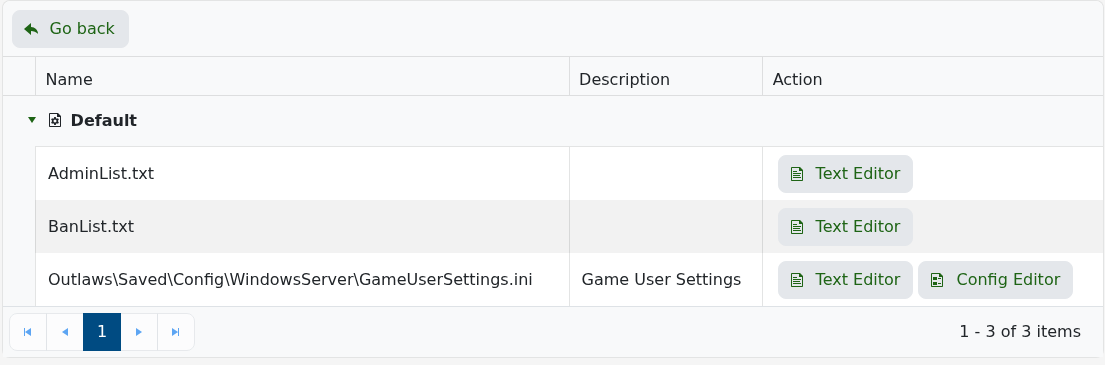
Outlaws of the Old West 从 BanList.txt 读取被封禁的玩家。当前面板直接暴露了此文件,因此您无需在服务器文件夹中搜索。

  1. 停止服务器。
  2. 打开 配置文件。
  3. 点击 文本编辑器(位于 BanList.txt 旁)。

    Outlaws of the Old West 配置文件,显示 BanList.txt 的文本编辑器

  4. 每行添加一名玩家的 17 位 SteamID64,或删除该行以解除对该玩家的封禁。
  5. 保存文件并启动服务器。
76561198000000000
76561198000000001

不要添加名字、逗号或引号。如果在服务器保持在线时需要更改,请编辑该文件并以经过授权的管理员身份运行 RefreshBanTextList;否则请重启服务器以便重新加载列表。


這篇文章有幫助嗎?

相關文章

« 返回

Follow us on Social Media

Stay in the loop! Follow our social media accounts and stay up-to-date with the latest news, announcements, tips & tricks and behind-the-scenes insights!