繁殖、孵化、成熟和印记设置通常在Game.ini中编辑。请使用谨慎的数值,因为非常高的繁殖设置可能会使印记时间变得困难。
- 在控制面板中打开您的ARK服务器。
- 点击配置文件。
- 使用配置编辑器或文本编辑器打开
Game.ini。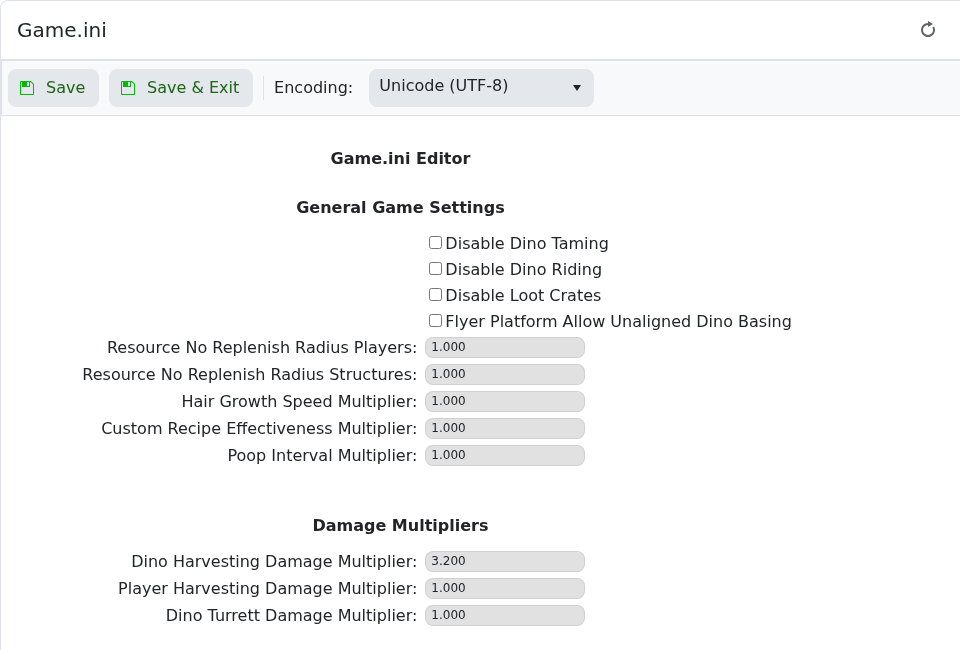
- 在
[/Script/ShooterGame.ShooterGameMode]下添加或编辑设置:[/Script/ShooterGame.ShooterGameMode] MatingIntervalMultiplier=0.1 EggHatchSpeedMultiplier=32.0 BabyMatureSpeedMultiplier=32.0 LayEggIntervalMultiplier=0.3 BabyCuddleIntervalMultiplier=0.1 - 点击保存并退出,然后重启服务器。
| 设置 | 功能 |
|---|---|
MatingIntervalMultiplier | 控制恐龙再次交配前的等待时间。较低的值减少等待时间。 |
EggHatchSpeedMultiplier | 控制蛋的孵化速度。较高的值孵化更快。 |
BabyMatureSpeedMultiplier | 控制宝宝成熟的速度。较高的值成熟更快。 |
BabyCuddleIntervalMultiplier | 控制印记拥抱间隔。较低的值缩短间隔。 |
