ARK API是ARK服务器的一个插件框架。通常,它可以通过支持的Windows ARK服务上的Mod Manager安装。如果您的服务不在Windows上或安装程序不可用,请在尝试手动安装之前提交工单。
- 首先备份服务器:备份和恢复ARK服务器上的世界和玩家数据。
- 在控制面板中打开您的ARK服务器。
- 点击Mod Manager。
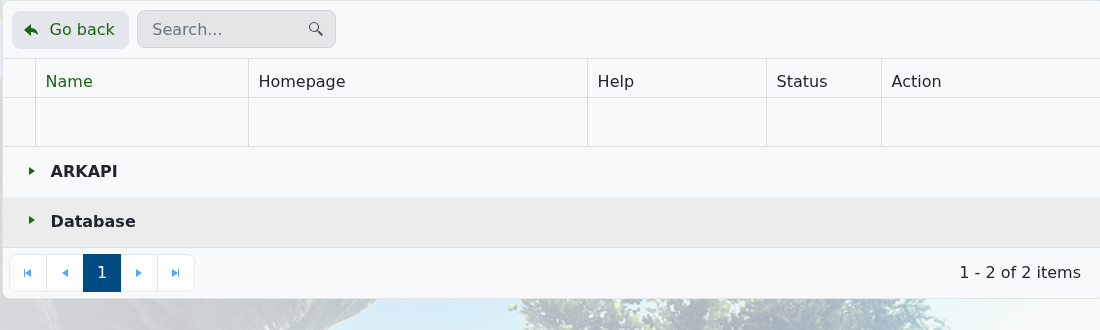
- 如果条目被折叠,展开ARKAPI。
- 在Mod Manager中安装显示的ARK API选项。
- 重启服务器并检查日志中的ARK API加载消息。
如果插件停止加载,在重大ARK更新后重新安装ARK API之前运行Steam更新。在安装ARK API后,使用如何在ARK服务器上安装ARK API插件。
